
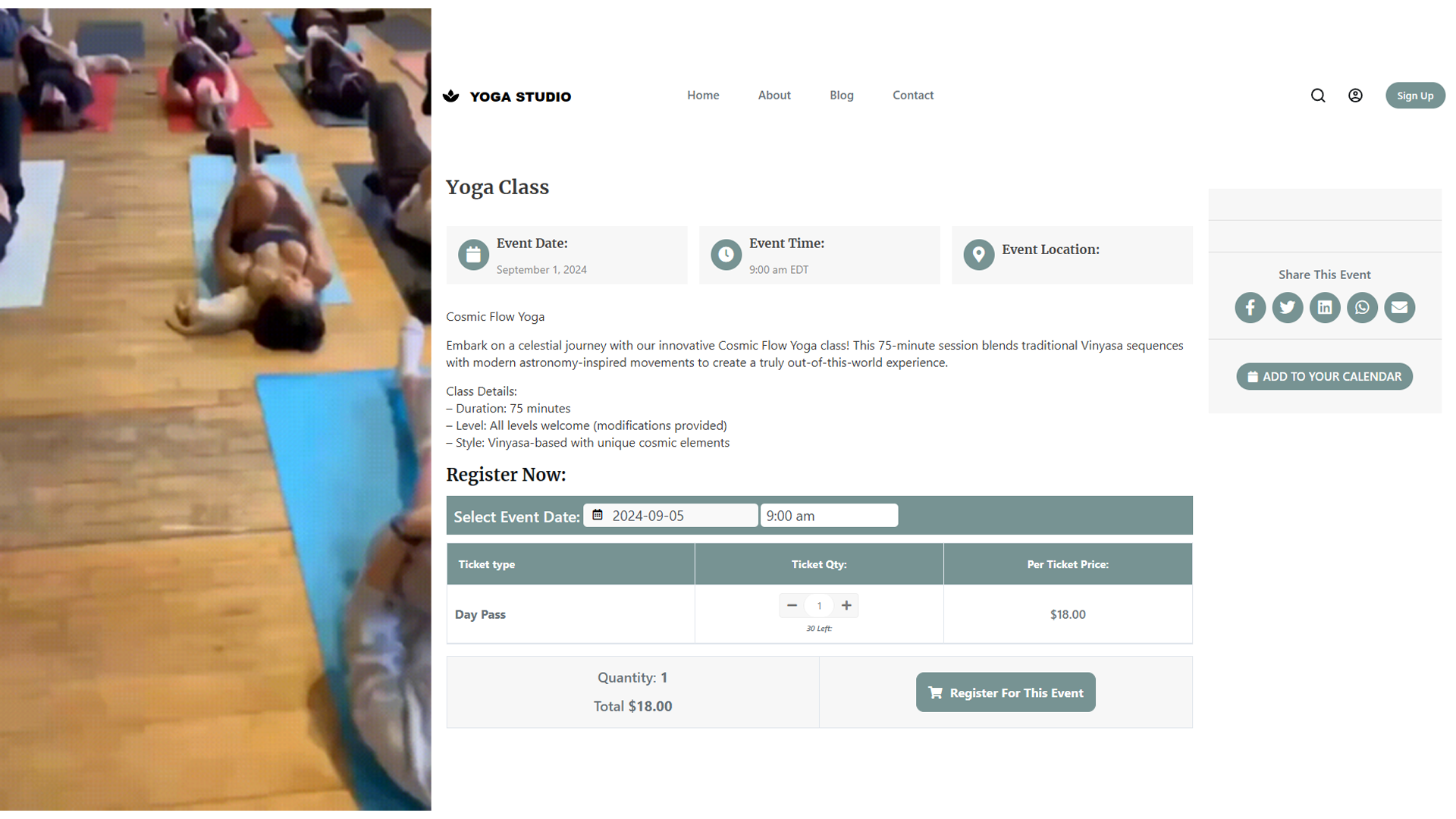
A yoga studio website should make it easy to see your classes, learn about the teachers, and book a place. Here is how to build one.
What the site should answer
Start with the information a new student needs before booking:
- Classes: What you teach, when classes run, and who leads them.
- Booking: How to reserve a place and what it costs.
- Visiting: Where the studio is and what a first-time student should bring.
Choose a starting template
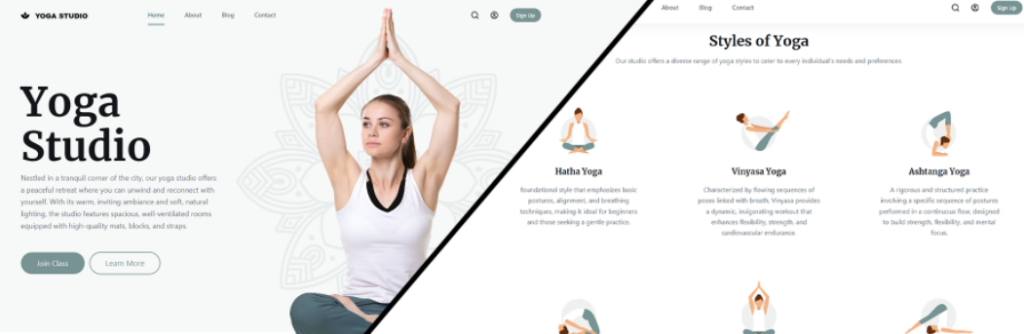
The Quick Elements yoga studio template has space for schedules, bookings, and instructor information.
- Tailored for Yoga Studios: Templates designed specifically for yoga businesses.
- Scheduling and booking: Show class times and take reservations.
- Payments: Set up payment options for classes and memberships.
- Page editing: Change the text, images, and colors without code.
- Mobile layout: Review the site on a phone before publishing.
To explore our yoga studio website templates, visit our templates page.
See the yoga studio template guide for a closer look.
Essential Features of Quick Elements for Yoga Studios
Choose the features that fit the way your studio runs:
- Responsive Design: Ensures your site looks great on all devices.
- Class Schedule Integration: Easily display and update your class schedule.
- Advanced Booking Calendar System: Includes real-time availability updates, waitlist management, and automatic reminders.
- Online Payments and Subscriptions: Securely process payments and manage memberships.
- Instructor Profiles: Showcase your teachers and their expertise.
- Blog Functionality: Share yoga tips and studio news to engage your community.
- Photo and Video Galleries: Display high-quality images of your studio and classes.
- Contact and Location Information: Make it easy for potential students to reach you.
- Email Newsletter Integration: Build and nurture your community with integrated email marketing tools.
- Social Media Integration: Connect your website with your social profiles.
Step-by-Step Guide to Building Your Website
- Choose a Template: Select the yoga studio template from Quick Elements.
- Customize the Design: Adjust colors, fonts, and layout to match your brand.
- Add Your Content: Input your studio information, class descriptions, and instructor bios.
- Set Up Your Booking System: Configure your class schedule and payment options.
- Integrate Additional Features: Set up your blog, photo gallery, and email newsletter.
- Check search details: Write page titles and descriptions that explain each class.
Design Tips for Your Yoga Studio Website
When customizing your Quick Elements template:
- Use colors that match your studio and keep text easy to read.
- Incorporate plenty of white space for a clean, uncluttered look.
- Use high-quality images of your studio, classes, and instructors.
- Keep class schedules, prices, and booking easy to find.
- Make your call-to-action buttons (e.g., “Book a Class”) prominent.
Creating Content for Your Website
Your website content should be:
- Clear and concise
- Optimized for search engines (include relevant keywords)
- Reflective of your studio’s unique voice and philosophy
- Updated when classes, prices, or instructors change
Optimizing Your Website for Search Engines
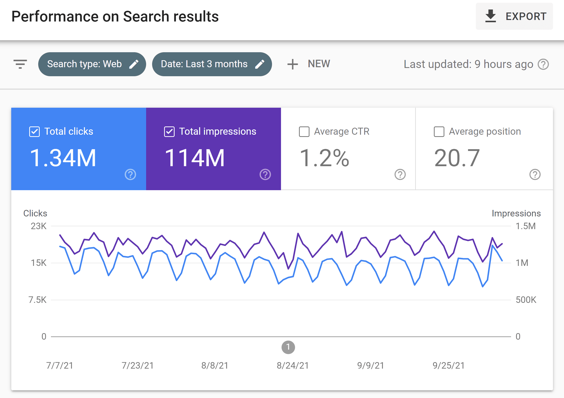
Quick Elements templates are built with SEO in mind, but you can further optimize by:
- Using relevant keywords throughout your content
- Optimizing your page titles and meta descriptions
- Creating quality, relevant content regularly (e.g., blog posts)
- Utilizing Quick Elements’ built-in SEO features
Before publishing, try the booking flow yourself on a phone and check that the class schedule, prices, and contact details are current.
For more detail, see the yoga studio template guide.