Quick Elements

A FareHarbor alternative where guests pay the price they see

FareHarbor costs you nothing each month because your customers pay a booking fee at checkout. Quick Elements works the other way: you pay a monthly plan, guests pay exactly your price, and the plan includes your website, trip booking, a shop, newsletters and email.

Plans from $29 a month on a yearly plan, with your domain, business email, bookings and store included. FareHarbor prices checked November 2026.

What one booking costs your customer

FareHarbor

One walker on a $95 day hike

  • Day hike, one walker $95
  • Booking fee at 6% $5.70

Your customer pays $100.70

From FareHarbor’s help centre, whose examples use a 6% booking fee, November 2026

Quick Elements

The same booking

  • Day hike, one walker $95
  • Fee added at checkout None

Your customer pays $95

You pay 3.99% + 30 cents per card sale, card processing included, on a plan from $29 a month.

FareHarbor has no monthly fee, but it isn’t a website: you still pay for one to put it on. Our plan is the website, and the price on it is the price your guest pays.

FareHarbor and Quick Elements, line by line

Shaded cells mark the stronger side. FareHarbor takes the rows about travel sites and crews; we take the ones about your price and your site.

What you need FareHarbor Quick Elements
What you pay each month FareHarbor No monthly fee or upfront cost. Stronger here Quick Elements Essentials is $29 a month on a yearly plan, or $39 month to month.
What your customer pays FareHarbor Your price plus a booking fee at checkout. FareHarbor’s help centre works its examples at 6%. Quick Elements Your price, with nothing added. You pay 3.99% + 30 cents per card sale, card processing included. Stronger here
Your website FareHarbor A booking window that opens over the website you already have. Quick Elements The whole website, from a design made for guides and outfitters, with booking built in. Stronger here
Selling through travel sites FareHarbor Connects to online travel agencies and resellers. Eligible bookings through a connection carry a 2% fee. Stronger here Quick Elements Not offered. Bookings come through your own site.
Customer types and extras FareHarbor Customer types, plus priced custom fields such as a park fee or a fuel surcharge. Quick Elements Ticket types like adult and child, add-ons like gear hire, and a different price on any date.
Guides and crew FareHarbor Crew can be added to and taken off each trip. Stronger here Quick Elements Not offered.
AI help FareHarbor FareHarbor Agent answers guest enquiries for you. Quick Elements An AI assistant that changes your pages, trips and emails when you ask.
Which one is right for you

Choose FareHarbor if

  • You’d rather pay nothing each month and let customers cover a booking fee.
  • Online travel agencies and resellers bring in a big share of your bookings.
  • You schedule a crew of guides or captains across many departures.

Choose Quick Elements if

  • You want customers to pay the price they saw, with no fee added at checkout.
  • You want a whole website made for tours, with booking built into it.
  • You sell kit and merchandise online as well as trips.
  • You’d like newsletters, a business email address and your domain on the same bill.

A whole site for your trips, not a booking window

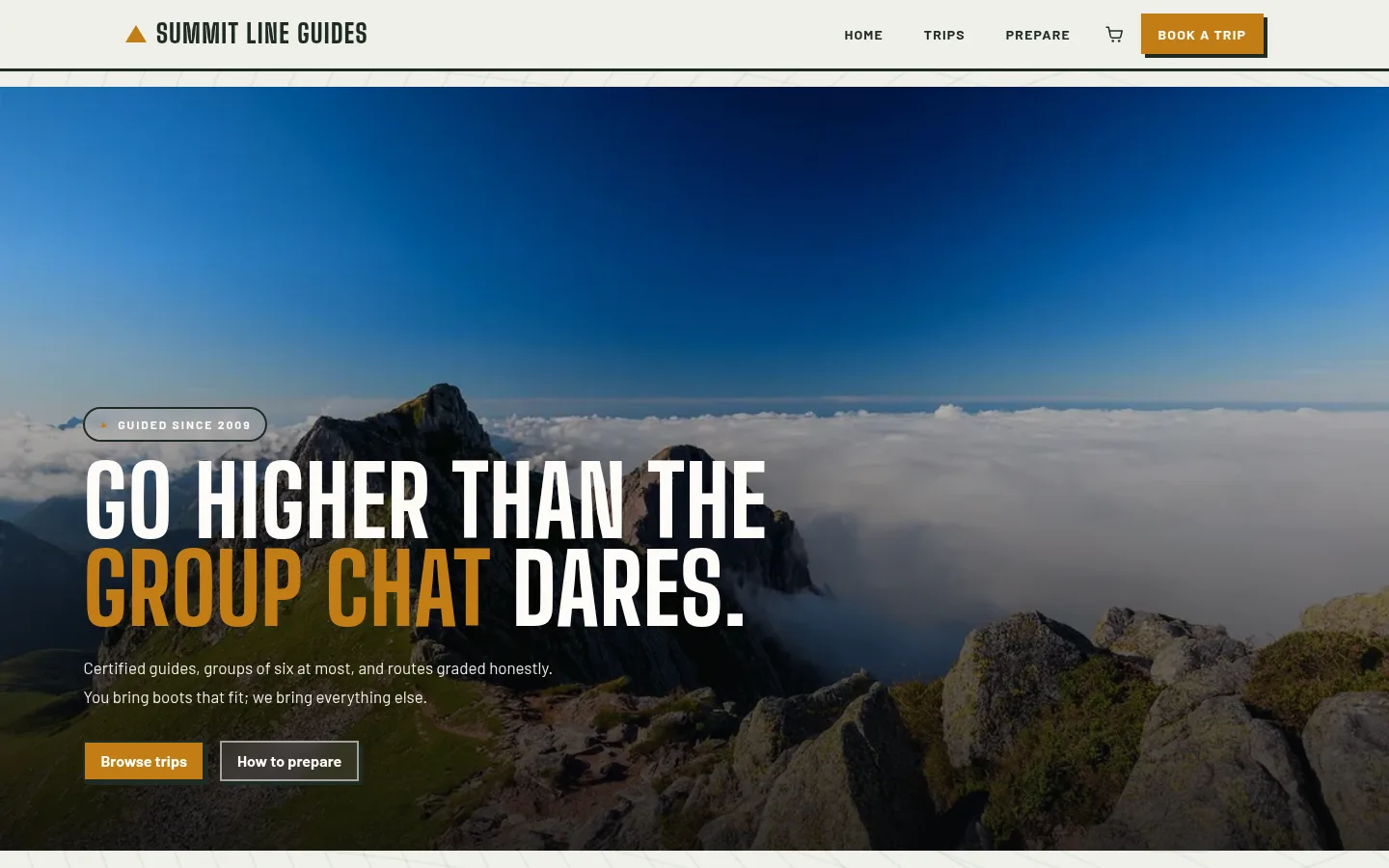
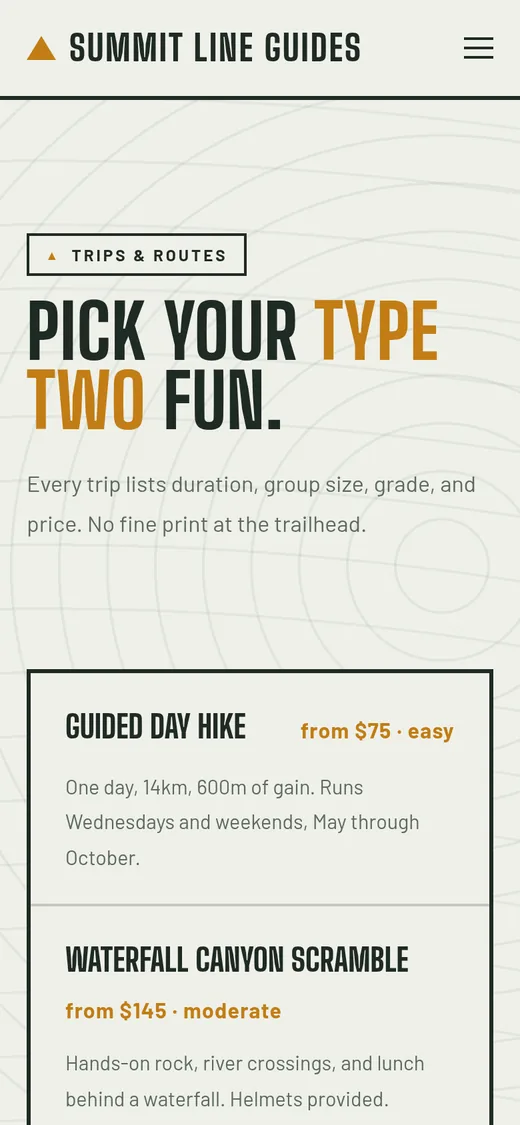
This is Summit, running as a real site. Each trip card gives the length, the group size, the grade and the price before anyone clicks, and the booking pages talk about trips and places.

Running boat trips or wildlife tours? Abyssal is built for those. Either one can be reworded, recoloured and filled with your own photos.

How trip booking works on your own site

Everything a day of departures needs, from the first booking to the weather call, without a fee on your guest’s total.

Departures on the days you run
A day hike every Wednesday, Saturday and Sunday at 7:30, set up once. Each departure has its own number of places.
A price for each kind of guest
Adults, children, private groups: each ticket type has its own price and its own smallest and largest booking.
Extras at checkout
Pack and poles hire, lunch or a photo package can be added to a place, with a limit per order or per guest.
Peak days priced as peak
Change the price or the number of places on any single date, such as a holiday weekend, and leave the rest alone.
One boat, two trips
Trips that share a boat or a van can share its seats, so the morning run and the private charter never sell the same place twice.
Weather days
Call off a departure, move each booking to another date or cancel it, and the places go back on sale. Reminder emails can carry the meeting point.

Selling tickets for the first time? Our guide to selling tickets on your own website covers prices, places and the pages that sell them. Run ticketed evenings too? See how we compare with Eventbrite.

Plans

A tour website with booking, on one plan

Your website, email, domain, and marketing tools together, for less than they cost apart. Compare every feature

Essentials

Everything to get the business online.

$39$29 / month

Save $255 a month against buying each part Billed $348 a year · save $2,844

  • Essentials Website
  • Essentials Marketing
  • Essentials Cloud
  • Essentials CRM
  • 1 Free Business Email Account
  • Free Domain Name
  • 2 million AI tokens / week
  • Essentials Automation

Advanced

Most chosen

For the founder who has outgrown one tool.

$69$59 / month

Save $414 a month against buying each part Billed $708 a year · save $4,740

  • Professional Website
  • Professional Marketing
  • Professional Cloud
  • Professional CRM
  • 2 Free Business Email Accounts
  • Free Domain Name
  • 5 million AI tokens / week
  • Professional Automation

Ultimate

The complete platform, every tier maxed.

$189$159 / month

Save $1,107 a month against buying each part Billed $1,908 a year · save $12,792

  • Ultimate Website
  • Advanced Marketing
  • Advanced Cloud
  • Advanced CRM
  • 5 Free Business Email Accounts
  • Free Domain Name
  • 20 million AI tokens / week
  • Advanced Automation

Before they decide

Questions tour operators ask about leaving FareHarbor

Is FareHarbor free?

FareHarbor’s own guide says it has no monthly fee or upfront cost. It is paid by a booking fee added to your customer’s total at checkout, and its help centre works its examples at 6%. The cost is real; it sits on your customer’s bill instead of yours.

Does Quick Elements add a booking fee for my customers?

No. Customers pay the price you set. You pay 3.99% + 30 cents per card sale, with card processing included, plus your plan, which starts at $29 a month on a yearly plan.

Can I sell through online travel agencies?

Not through Quick Elements. If travel sites and resellers bring in a big share of your bookings, FareHarbor’s connections to them are worth keeping. Quick Elements suits operators who sell mostly from their own site.

Can guests add gear hire or other extras?

Yes. Any ticket can be an add-on that is bought with a place, with a minimum and maximum per order or per guest.

What if I have to cancel a departure?

Open the trip’s list of bookings and move each one to another date or cancel it. The places go back on sale, and you can add the date as a day off so nobody else books it.

Can I look around before I pay?

Yes, every design has a live preview you can click through. There is no free plan or trial: you choose a plan, then build your site.

Sell your next departure at the price you set

Start with Summit or Abyssal, add your trips and their departures, and let guests book on a site that carries your name.