Quick Elements

A startup website template that books your demos

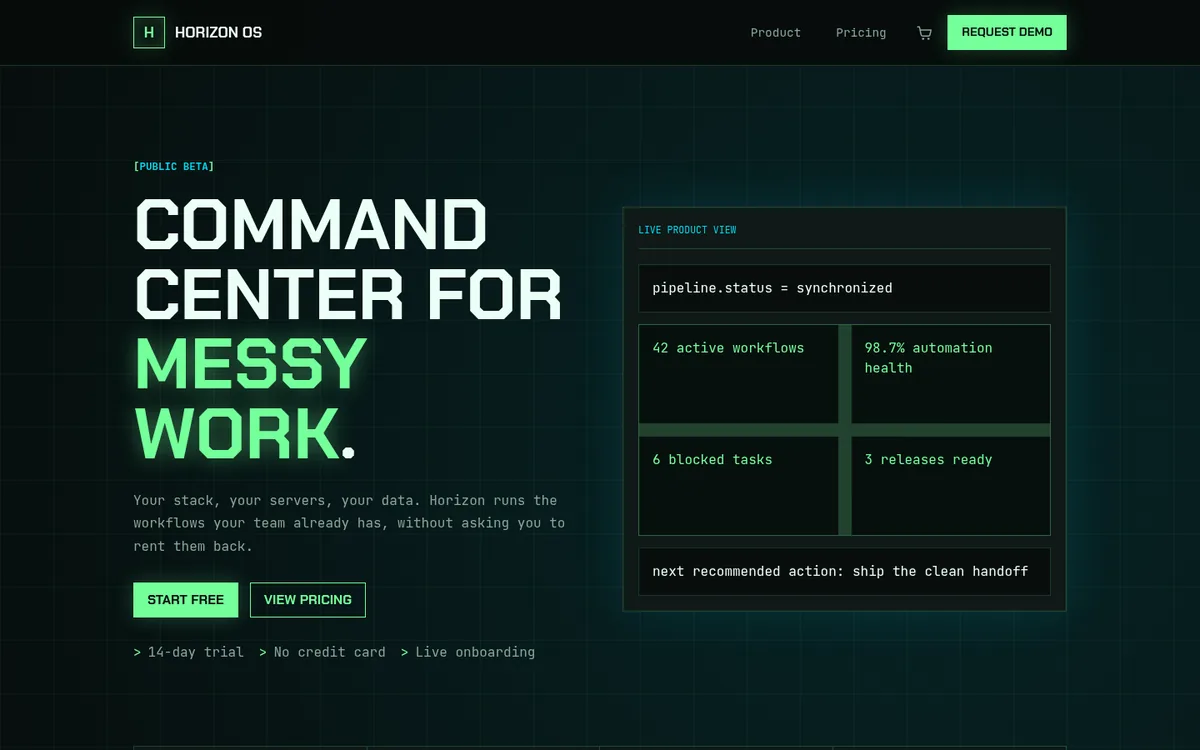
Horizon is a dark, console-style landing site for a software product: a live product panel, launch numbers, a three-plan pricing page and a demo request page. Prospects book a 30-minute demo straight from it.

Plans from $29 a month, billed yearly. Hosting and a domain included.

  • Prospects book demos into weekday slots
  • A/B test the headline and keep the winner
  • Charge for plans monthly, yearly or once
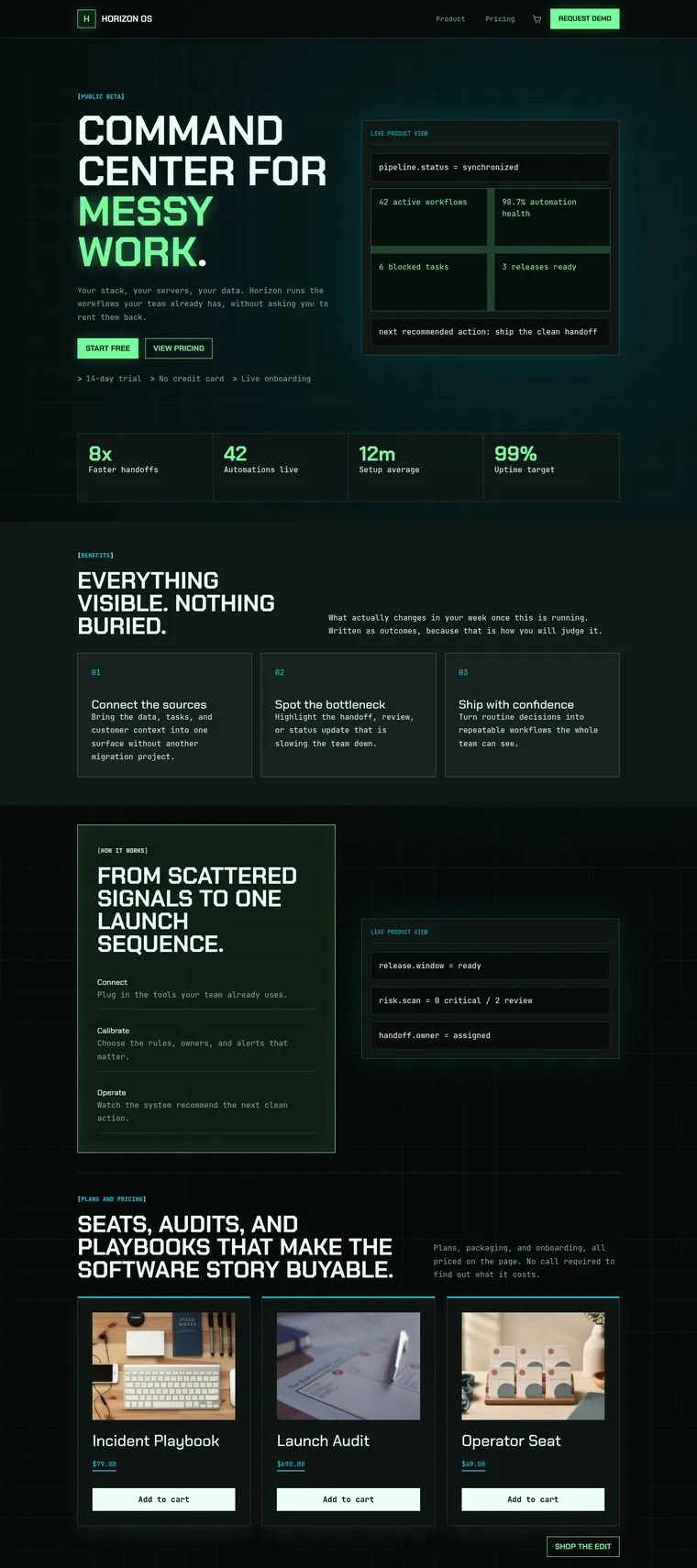
Horizon's homepage from top to bottom: the hero with its product panel, four launch numbers, three benefit cards, the how it works panel and the products row

What goes on a SaaS landing page, and where Horizon puts it

A buyer landing from an ad or a launch post wants to know what the product does, whether it works and what it costs, in that order. Horizon's homepage answers them top to bottom.

  1. 01

    Headline and live product panel

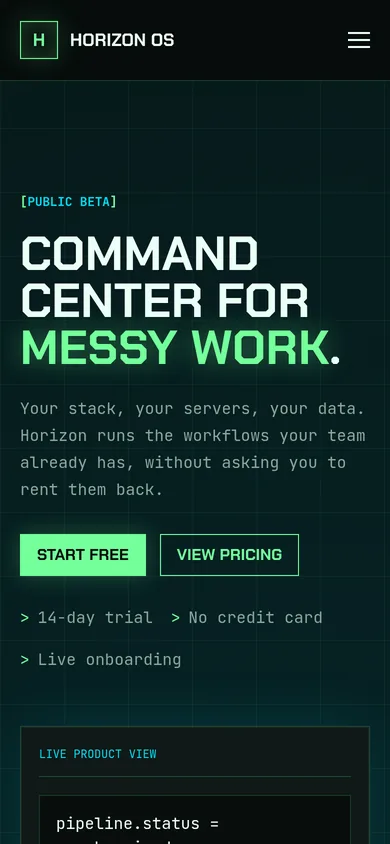
    A short, loud promise with two buttons, and a console-style panel beside it where you show what your product reports. Swap the sample readings for real ones.

  2. 02

    Launch numbers

    Four figures in a row, such as customers, uptime or hours saved. Horizon's are placeholders, so use your own or delete the row.

  3. 03

    Three benefits

    Numbered cards that say what changes for the buyer once your product is running, written as results rather than feature names.

  4. 04

    How it works

    Three steps, connect, calibrate and operate, in a glowing panel next to a second product readout.

  5. 05

    Plans and products

    A row of things people can buy today. Horizon ships an Operator Seat at $49, a Launch Audit at $690 and an Incident Playbook at $79 as examples.

Below the shop come your upcoming demo sessions and a closing panel that repeats the demo button, so nobody has to scroll back up to act.

A pricing page and a demo page that sell between calls

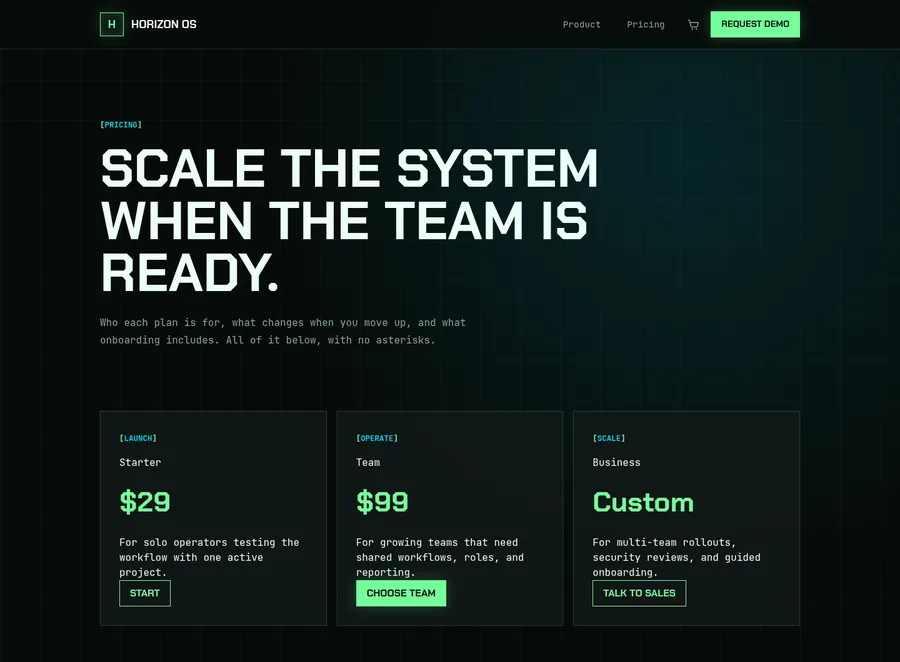
Horizon pricing page headed 'Scale the system when the team is ready' with Starter at $29, Team at $99 and a custom Business plan
Pricing Three plans, Starter at $29, Team at $99 and a custom Business tier, each with a line on who it is for. A customer quote and one more demo button sit underneath. Your names, your prices.
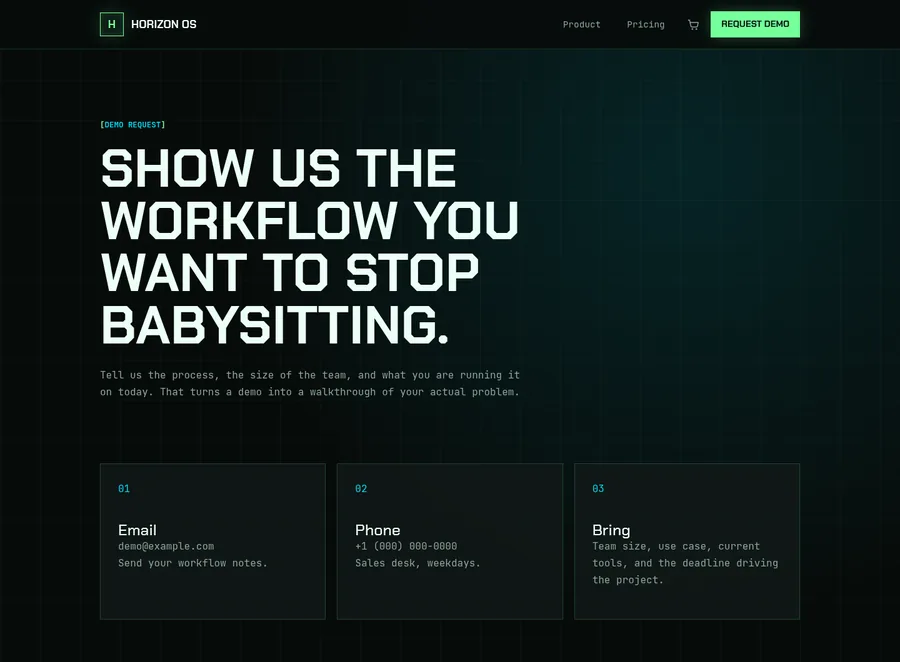
Horizon demo request page headed 'Show us the workflow you want to stop babysitting' with email, phone and what to bring
Demo request Email, phone and what to bring, followed by a 20-minute agenda: map where they are, show the cleaner path, agree on next steps. Prospects know what they are booking before they book it.

When you are ready to charge, each plan's button can lead to your app's own sign-up, to the demo calendar, or to your shop, which can bill a plan monthly or yearly and shows what those subscriptions bring in on a recurring revenue screen. Each Quick Elements plan's cost per sale is set out on our pricing page.

[LIVE BOOKING VIEW]
product_demo.length =
30 min, online
product_demo.days =
mon tue wed thu fri
product_demo.times =
09:30 11:00 14:00 16:00
product_demo.seats =
3 at each time
product_demo.price =
free
onboarding.length =
60 min, online
onboarding.days =
tue wed thu
onboarding.times =
10:00 15:00
onboarding.price =
included with every plan

next recommended action: change any of it

Demos and onboarding run on a calendar, not an inbox

Horizon comes with two things to book. A product demo is thirty minutes with an engineer on the buyer's own use case, and an onboarding session is a working hour to get a new customer's first setup live. Both are free and online until you say otherwise.

  • Three demos can be booked at the same time, one for each person on your team who runs them. Working alone? Set it to one.
  • Every date has an add-to-calendar file, and a confirmation email goes out the moment a demo is booked.
  • A follow-up email can go out once the demo ends, which is a good moment to send the pricing page again.

Test the headline, keep the winner

Duplicate the homepage, change the headline in the copy and start an A/B test. Visitors are split evenly between the original and up to four other versions at the same address, so your ads and links never change.

You choose what counts as a success: someone sending a form, buying something, or reaching a page you pick. Set a number of days and the test puts the clear winner in front of everyone. If no version did clearly better, the original stays.

[ORIGINAL]

Command center for messy work.

START FREE

[VERSION 2]

Every workflow on one screen.

START FREE

Half of your visitors see each version. The one that gets more of them to sign up is shown to everyone once the test ends.
Visitor numbers without a cookie banner
See visitors, top pages and where they came from. People are counted without cookies, so there is no consent pop-up to add.
A search title for every page
Each page has its own title and description for search results, and the editor warns you when one is too long to show in full.
An assistant for the next page
Ask for a changelog, a comparison table or a security page and the built-in assistant builds it in Horizon's style. Nothing is published until you save.

Still shaping the product?

Our page for founders lays out a first week, from claiming the name on Monday to sending the link on Friday. Still naming it? Read how to choose a domain name first. Selling a service rather than software? Launchpad, the agency template, is built for that.

Pricing

Everything on this page, in one bundle.

Your website, email, domain, and marketing tools together, for less than they cost apart. Compare every feature

Essentials

Everything to get the business online.

$39$29 / month

Save $255 a month against buying each part Billed $348 a year · save $2,844

  • Essentials Website
  • Essentials Marketing
  • Essentials Cloud
  • Essentials CRM
  • 1 Free Business Email Account
  • Free Domain Name
  • 2 million AI tokens / week
  • Essentials Automation

Advanced

Most chosen

For the founder who has outgrown one tool.

$69$59 / month

Save $414 a month against buying each part Billed $708 a year · save $4,740

  • Professional Website
  • Professional Marketing
  • Professional Cloud
  • Professional CRM
  • 2 Free Business Email Accounts
  • Free Domain Name
  • 5 million AI tokens / week
  • Professional Automation

Ultimate

The complete platform, every tier maxed.

$189$159 / month

Save $1,107 a month against buying each part Billed $1,908 a year · save $12,792

  • Ultimate Website
  • Advanced Marketing
  • Advanced Cloud
  • Advanced CRM
  • 5 Free Business Email Accounts
  • Free Domain Name
  • 20 million AI tokens / week
  • Advanced Automation

Before they decide

What founders ask before launching on Horizon

Can I collect sign-ups before the product is ready?

Yes. Point the Start free button at a form that asks for an email address. Every entry is kept in your site's form entries, and each one can email you as it arrives.

Can customers pay for a plan every month?

Yes. Your shop can sell a plan as a subscription that bills monthly or yearly, and a recurring revenue screen shows what subscriptions bring in. If your product already handles its own billing, point the pricing buttons at your app's sign-up instead.

Are the numbers on the homepage real?

No, they are sample copy, like "8x faster handoffs" and "99% uptime target". Replace every figure with one you can stand behind, or remove the row, before you launch.

Does Quick Elements have a free trial?

No. Horizon's "14-day trial" and "Start free" lines are sample copy for your product. Quick Elements plans are paid before your site is built, which is why the live Horizon site is open for you to click through first.

Will the dark look suit my brand?

Horizon's colours are set once for the whole site: a near-black background, mint green, cyan and a pale yellow. Change them and the panels, borders and buttons all take the new colours. The square display type and the monospaced body text can be swapped too.

Do I need a developer to launch it?

No. Edit the words on the page itself, drop in screenshots of your product from your media library, and connect your domain using the two settings the setup page shows you. Horizon is online about two minutes after your domain starts pointing here.

Ship the landing page before the product is finished

Pay for a plan, give the product a name and an address, and Horizon goes up a couple of minutes later with its pricing page and demo calendar in place.