Quick Elements

A Squarespace alternative with booking and email built in

Squarespace charges separately for bookings and newsletters, and its free email and domain end after the first year. From then on a booking business pays $61.67 a month. Quick Elements is $29 with all of it in the plan.

Plans from $29 a month on a yearly plan, with your domain, business email, bookings and store included. Squarespace prices checked November 2026.

What a month costs a business that takes bookings, from the second year

Squarespace

Core plan from the second year, billed yearly

  • Core plan $29
  • Acuity Scheduling for bookings $16
  • Email Campaigns, 500 emails a month $8
  • Business email, one mailbox $7
  • Your domain, $20 a year $1.67

A month $61.67+

From Squarespace’s, Acuity’s and Google Workspace’s prices, November 2026

Quick Elements

Essentials plan

  • Website and online store Included
  • Booking for appointments and classes Included
  • Newsletters and sign-up forms Included
  • Business email address Included
  • Your .com or .org, renewed for you Included
  • AI assistant that edits your site Included

A month, billed yearly $29

$39 paying month to month. Card sales 3.99% + 30 cents, card processing included.

Squarespace’s business email and domain are free for the first year only. This is what a month costs after that.

Squarespace and Quick Elements, line by line

Shaded cells mark the stronger side of each row. Squarespace wins on card rates and courses. We win on everything a booking business would otherwise add on.

What you need Squarespace Quick Elements
A month from the second year Squarespace Core is $29 billed yearly. With bookings, newsletters, a mailbox and the domain renewal, $61.67. Quick Elements Essentials is $29 billed yearly with all of that included, or $39 month to month. Stronger here
Taking bookings Squarespace Acuity Scheduling, a separate plan from $16 a month billed yearly for one calendar. Quick Elements Built in on every plan, for appointments, classes and events, in your trade’s own words. Stronger here
Email newsletters Squarespace Email Campaigns from $8 a month billed yearly, for up to 500 emails a month. Quick Elements Newsletters, sign-up forms and a contact list on every plan. Stronger here
Business email Squarespace Google Workspace free for the first year on Core and up, then $7 a month per mailbox. Quick Elements A business email address on your domain for as long as you’re on the plan. Stronger here
Your domain Squarespace Free for the first year on a yearly plan, then $20 a year. Quick Elements A .com or .org included every year, and renewed for you while your plan includes one. Stronger here
AI help Squarespace 20 AI credits a month on Core. Quick Elements An AI assistant that edits your pages, bookings, products and emails, with 2 million tokens a week on Essentials. Stronger here
Design Squarespace Squarespace sells itself on design, with templates for many kinds of site. Quick Elements Designs written for one trade each, from bakeries to plumbers, already using that trade’s words.
Card fees Squarespace From 2.9% + $0.30 on Core, with no extra fee on store sales. Stronger here Quick Elements 3.99% + 30 cents per card sale, card processing included.
Courses and paid memberships Squarespace Built in, with a 5% fee on Core. Stronger here Quick Elements No courses or members-only pages. Plans that renew can be sold in your shop.

Which one is right for you

Choose Squarespace if

  • You want a portfolio or brochure site and won’t take bookings.
  • You sell courses, videos or paid memberships.

Choose Quick Elements if

  • You’d rather pay $29 a month than $61.67 for bookings, newsletters, email and your domain.
  • You take bookings for classes, appointments or events and want them on the same site, on the same bill.
  • You’d like to start from a design made for your kind of business.
  • You want an AI assistant that makes changes across the whole site when you ask.

Designs that already know your trade

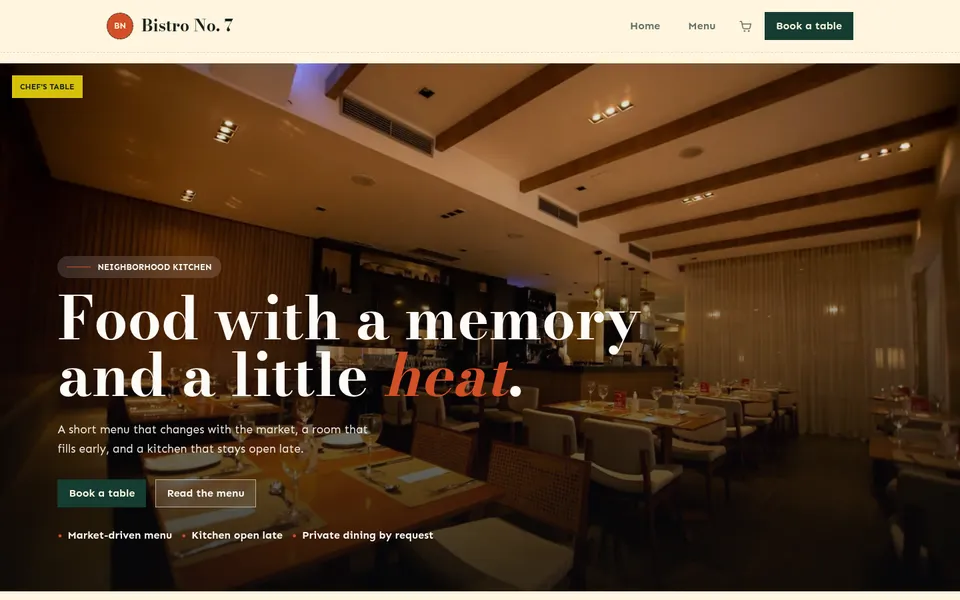
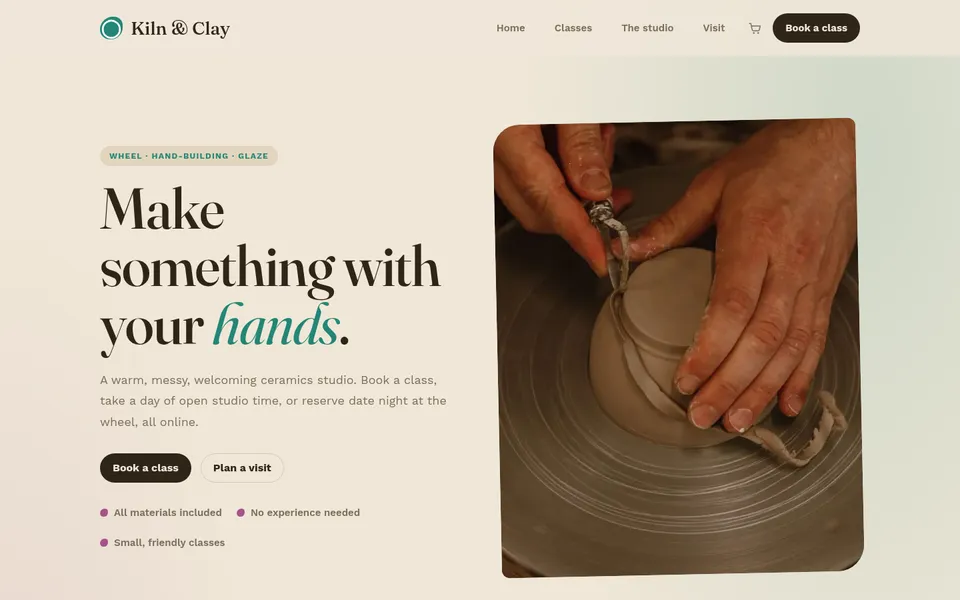
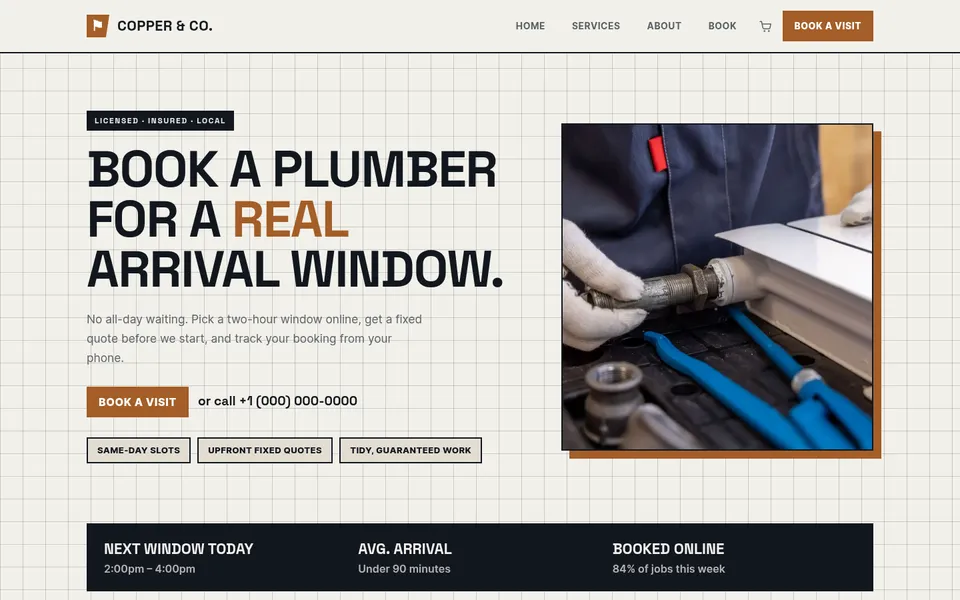
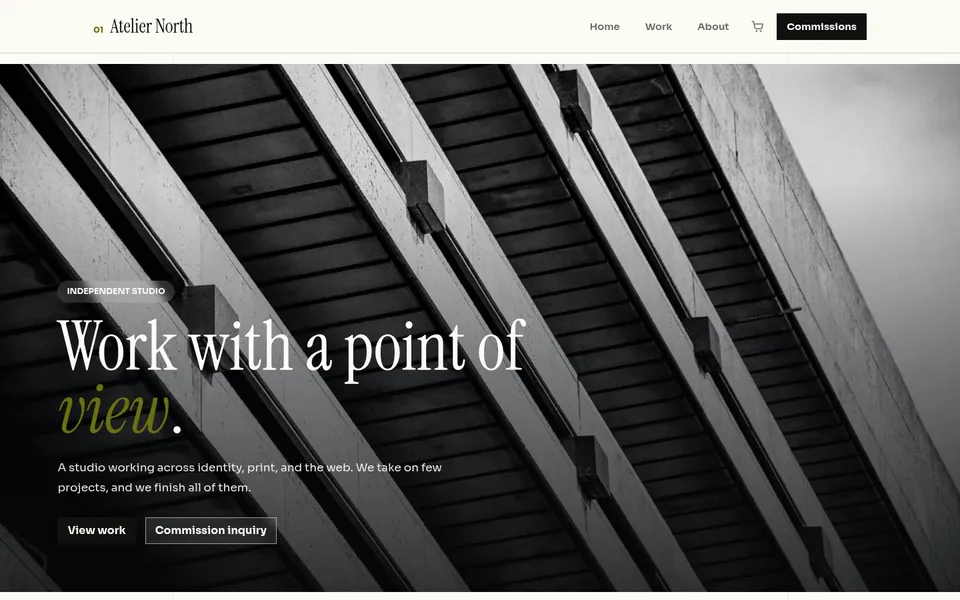
Each one is a real, working site. The restaurant takes table bookings, the plumber books arrival windows, and the pottery studio sells places in a class.

Not sure which one fits? Read how to choose a website template, or see every design.

Moving from Squarespace, step by step

  1. 1

    Choose a plan

    Every plan includes the website, bookings, a shop, newsletters, a business email address and a domain.

  2. 2

    Keep your address

    Use the domain you already have. The setup page shows the two settings to change where it is registered.

  3. 3

    Pick a design

    Choose the closest one to your business. Once your address points here, the site is built in about two minutes.

  4. 4

    Move your pages over

    Paste in your words and pictures, or ask the AI assistant to write a page and adjust it until it reads right.

Weighing up Wix as well? Here is how Quick Elements compares with Wix.

Plans

Bookings, email and your domain, already in the plan

Your website, email, domain, and marketing tools together, for less than they cost apart. Compare every feature

Essentials

Everything to get the business online.

$39$29 / month

Save $255 a month against buying each part Billed $348 a year · save $2,844

  • Essentials Website
  • Essentials Marketing
  • Essentials Cloud
  • Essentials CRM
  • 1 Free Business Email Account
  • Free Domain Name
  • 2 million AI tokens / week
  • Essentials Automation

Advanced

Most chosen

For the founder who has outgrown one tool.

$69$59 / month

Save $414 a month against buying each part Billed $708 a year · save $4,740

  • Professional Website
  • Professional Marketing
  • Professional Cloud
  • Professional CRM
  • 2 Free Business Email Accounts
  • Free Domain Name
  • 5 million AI tokens / week
  • Professional Automation

Ultimate

The complete platform, every tier maxed.

$189$159 / month

Save $1,107 a month against buying each part Billed $1,908 a year · save $12,792

  • Ultimate Website
  • Advanced Marketing
  • Advanced Cloud
  • Advanced CRM
  • 5 Free Business Email Accounts
  • Free Domain Name
  • 20 million AI tokens / week
  • Advanced Automation

Before they decide

Questions people ask before leaving Squarespace

Is Quick Elements cheaper than Squarespace?

Yes, by more than half for a business that takes bookings. From the second year, Squarespace Core with Acuity for bookings, Email Campaigns for 500 emails a month, a Google Workspace mailbox and your domain comes to $61.67 a month billed yearly. Quick Elements Essentials is $29 a month billed yearly with all of those included.

Are card fees lower on Squarespace?

Yes, Squarespace’s card rates start at 2.9% + $0.30 on Core, and Quick Elements charges 3.99% + 30 cents per card sale with card processing included. For a business that takes bookings, the lower rate only makes up the difference in monthly price once you sell about $3,000 a month by card.

Can I take bookings without another app?

Yes. Appointments, classes, tours and events are booked and paid for on your own site, with confirmation and reminder emails sent for you.

Can I keep my domain?

Yes. You can point the domain you already own at your new site. If you’d rather have a new one, a .com or .org is included with your plan.

Do I need to know how to design a website?

No. Each design arrives as a finished site with pages, a header and a footer. You change the words and pictures by clicking on them, or ask the AI assistant to do it.

Is there a free trial?

No. There is no free plan or trial: you choose a plan, then build. You can click through the live preview of every design before you pay.

Move to a site where bookings are part of the plan

Pick a design made for your kind of business, point your domain at it, and take your first booking without another subscription.