Quick Elements

An Eventbrite alternative that sells tickets on your own site

Eventbrite adds its fees to every ticket, so on a $10 ticket only 80% of what your buyer pays reaches you. Sell it on your own Quick Elements site and 93% does, buyers pay the price you set, and the plan is your whole website, with a shop, newsletters, email and a domain.

Plans from $29 a month on a yearly plan, with your domain, business email, bookings and store included. Eventbrite prices checked November 2026.

How much of one ticket reaches you

Eventbrite

A $10 ticket, fees passed on to the buyer

  • Ticket price $10
  • Service fee, 3.7% + $1.79 $2.16
  • Payment processing, 2.9% of the order $0.35
  • Your buyer pays $12.51
  • Reaches your account $10

Of what your buyer pays, you get 80%

From Eventbrite’s US pricing page, November 2026

Quick Elements

The same ticket on your own site

  • Ticket price $10
  • Fee added at checkout None
  • Your buyer pays $10
  • Card sale, 3.99% + 30 cents $0.70
  • Reaches your account $9.30

Of what your buyer pays, you get 93%

Card processing included, on a plan from $29 a month that is also your website.

Eventbrite has no monthly fee, but it isn’t a website. With Quick Elements the plan is the website your tickets sell on.

Eventbrite and Quick Elements, line by line

Shaded cells mark the stronger side of each row. Eventbrite wins on free events and being found. We win on what reaches you and everything around the ticket.

What you need Eventbrite Quick Elements
Of what a buyer pays, what reaches you Eventbrite With fees passed on: 70% of a $5 ticket, 80% of $10, 88% of $25 and 91% of $50. Quick Elements 90% of a $5 ticket, 93% of $10, 95% of $25 and 95% of $50. Stronger here
Fees on a paid ticket Eventbrite A 3.7% + $1.79 service fee per ticket and 2.9% payment processing on the order. Buyers pay them unless you choose to. Quick Elements 3.99% + 30 cents per card sale, card processing included, paid by you. Nothing is added to the buyer’s total. Stronger here
Your website Eventbrite Not included. An event page on Eventbrite, or its checkout embedded on a site you pay for elsewhere. Quick Elements Included. A whole website from a design made for venues, with every event, its tickets and the checkout on your pages. Stronger here
Emailing past buyers Eventbrite Email campaigns, with Eventbrite Pro sending up to 10,000 a day from $15 a month. Quick Elements Every buyer joins your own contact list, and newsletters are on every plan. Stronger here
Everything else the business needs Eventbrite Ticketing only. Quick Elements A shop, newsletters, a business email address, a domain and an AI assistant on the same plan. Stronger here
Reminders Eventbrite Automated event reminders. Quick Elements A confirmation, reminders and a follow-up for each event, in your own words.
Ticket types and seating Eventbrite Multiple ticket types, add-ons and reserved seating. Stronger here Quick Elements Ticket types with a smallest and largest order, add-ons and prices by date. No seat maps.
Being found by strangers Eventbrite A discovery marketplace that Eventbrite says has 89 million monthly users. Stronger here Quick Elements No marketplace. People find you through search, social media and your own newsletter.
What it costs to start Eventbrite Free events cost nothing. Paid events pay per ticket, with no monthly plan. Stronger here Quick Elements Essentials is $29 a month on a yearly plan, or $39 month to month, with the website included.
Which one is right for you

Choose Eventbrite if

  • Most of your events are free, so you’d pay nothing at all.
  • You need people who have never heard of you to find your events on Eventbrite, or you need seat maps.

Choose Quick Elements if

  • You want 93% of a $10 ticket to reach you, not 80%.
  • You run events every week, such as shows, classes or tastings, from a place of your own.
  • You want every buyer in your own contact list for the next newsletter.
  • You want the website, a shop, email and a domain on the same bill as your tickets.

A venue site that sells its own nights

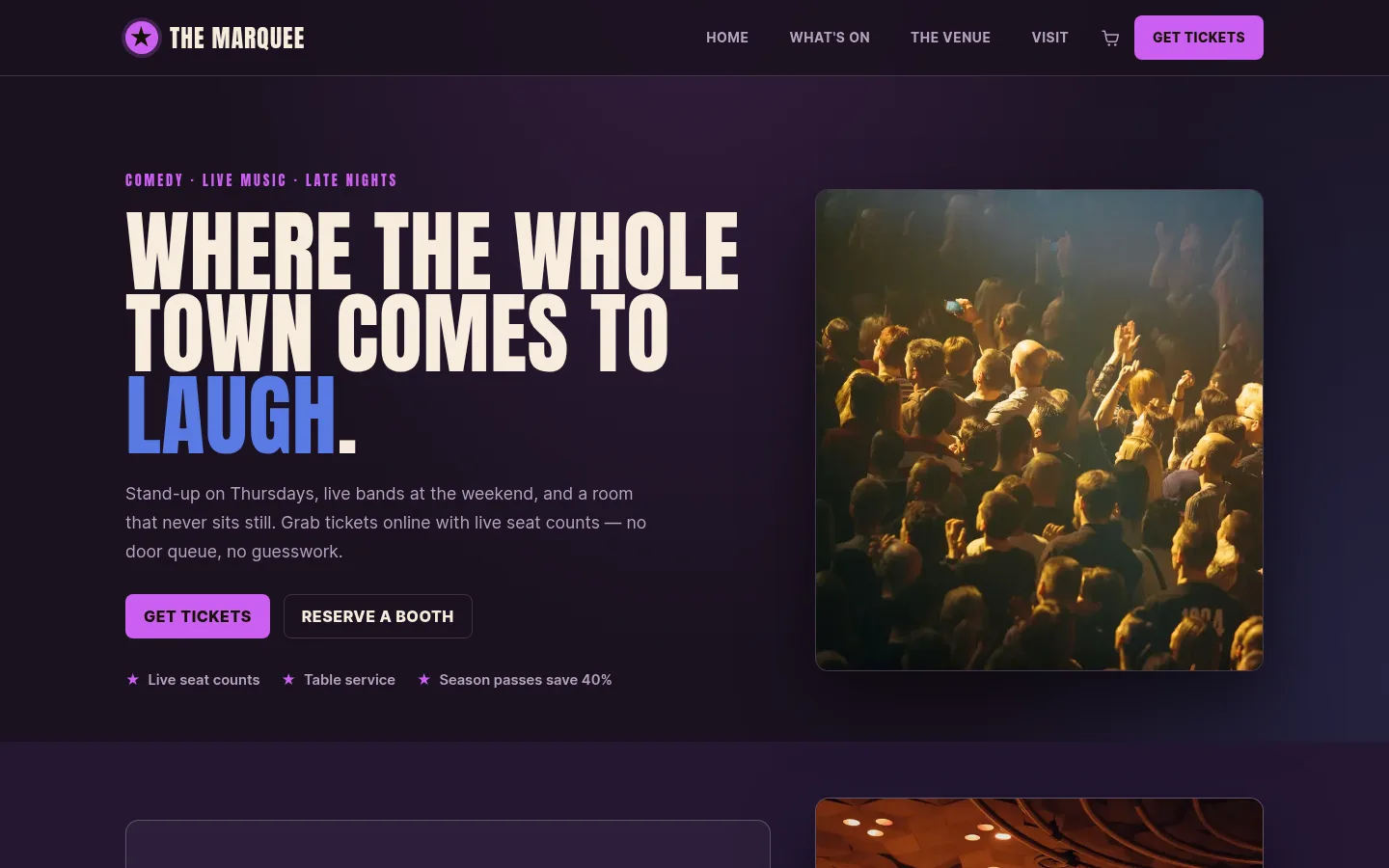
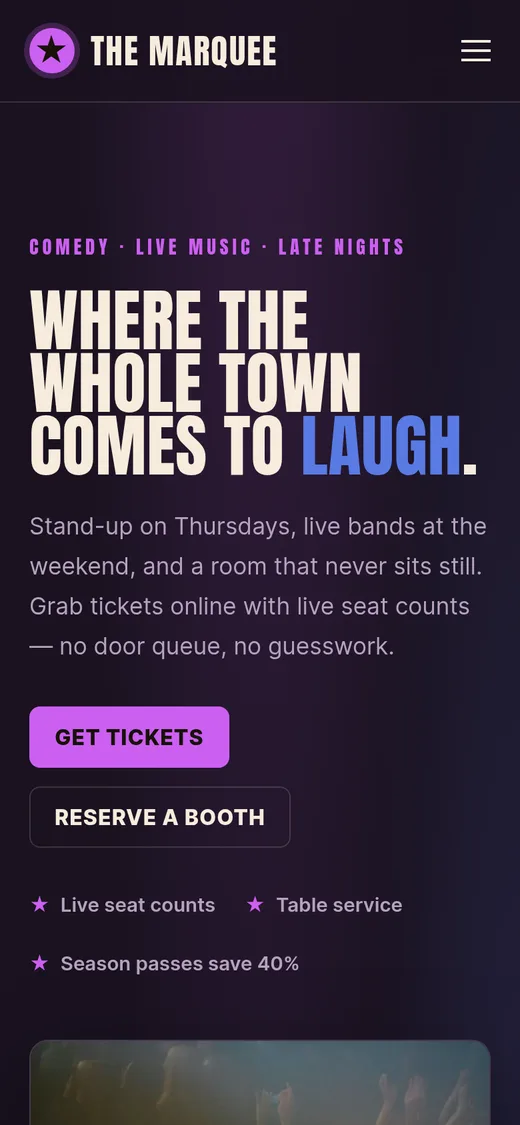
This is Marquee, running as a real site for a comedy and music room. It leads with what is on, sells tickets and booths beside the line-up, and keeps a shop next to them for passes and gifts.

Teaching classes rather than putting on shows? The cooking school and pottery studio designs sell places in a class the same way.

Selling tickets from your own website

Made for the venue or organiser with a regular calendar, who would rather build an audience than rent one.

A season, set up once
Stand-up every Thursday at 8, live sets on Fridays and Saturdays at 9:30. Each night is its own date with its own tickets.
Standing, seated, booths
Sell each kind of ticket at its own price, and set the smallest and largest number one order can take.
One room, two shows
An early and a late show in the same room can draw on one shared capacity, so the room is never oversold.
A cheaper preview night
Change the price or the number of tickets on any single date and leave the rest of the run as it is.
Sales at the door
Record walk-ups yourself as cash or card. They count against the room like online sales.
Everyone gets the details
A confirmation after buying and a reminder before the night, with the date, time and address filled in.

New to selling your own tickets? Read how to sell event tickets online on your own website. Running tours instead? See how we compare with FareHarbor.

Plans

Tickets, website and newsletter, on one plan

Your website, email, domain, and marketing tools together, for less than they cost apart. Compare every feature

Essentials

Everything to get the business online.

$39$29 / month

Save $255 a month against buying each part Billed $348 a year · save $2,844

  • Essentials Website
  • Essentials Marketing
  • Essentials Cloud
  • Essentials CRM
  • 1 Free Business Email Account
  • Free Domain Name
  • 2 million AI tokens / week
  • Essentials Automation

Advanced

Most chosen

For the founder who has outgrown one tool.

$69$59 / month

Save $414 a month against buying each part Billed $708 a year · save $4,740

  • Professional Website
  • Professional Marketing
  • Professional Cloud
  • Professional CRM
  • 2 Free Business Email Accounts
  • Free Domain Name
  • 5 million AI tokens / week
  • Professional Automation

Ultimate

The complete platform, every tier maxed.

$189$159 / month

Save $1,107 a month against buying each part Billed $1,908 a year · save $12,792

  • Ultimate Website
  • Advanced Marketing
  • Advanced Cloud
  • Advanced CRM
  • 5 Free Business Email Accounts
  • Free Domain Name
  • 20 million AI tokens / week
  • Advanced Automation

Before they decide

Questions organisers ask before leaving Eventbrite

How much does Eventbrite charge per ticket?

In the US, Eventbrite’s pricing page lists a service fee of 3.7% + $1.79 per paid ticket and a payment processing fee of 2.9% per order. On a $10 ticket with the fees passed on, your buyer pays $12.51 and $10 of it reaches you, which is 80%. Free events have no fees.

What does Quick Elements charge per ticket?

3.99% + 30 cents per card sale, with card processing included. You pay it, not your buyer, so the price on your page is the price they pay. On a $10 ticket, $9.30 reaches you, which is 93%. Plans start at $29 a month on a yearly plan, and the plan is your whole website.

Will I lose the people who find my events on Eventbrite?

Quick Elements has no marketplace, so new people reach you through search, social media and your mailing list. If strangers browsing Eventbrite fill a lot of your seats, you can keep listing some events there.

Can I sell different kinds of tickets?

Yes. Each event can have as many ticket types as you need, such as standing, seated and a booth for six, each with its own price and limits per order.

Do my buyers become my contacts?

Yes. Everyone who books is added to your own contact list along with what they bought, so the next newsletter can go to the people who came to last month’s shows.

Can I try it before I pay?

You can click through the live preview of every design first. There is no free plan or trial: you choose a plan before building.

Put next week’s tickets on your own site

Start with Marquee or another design, add your dates and ticket types, and keep every buyer for the next show.