
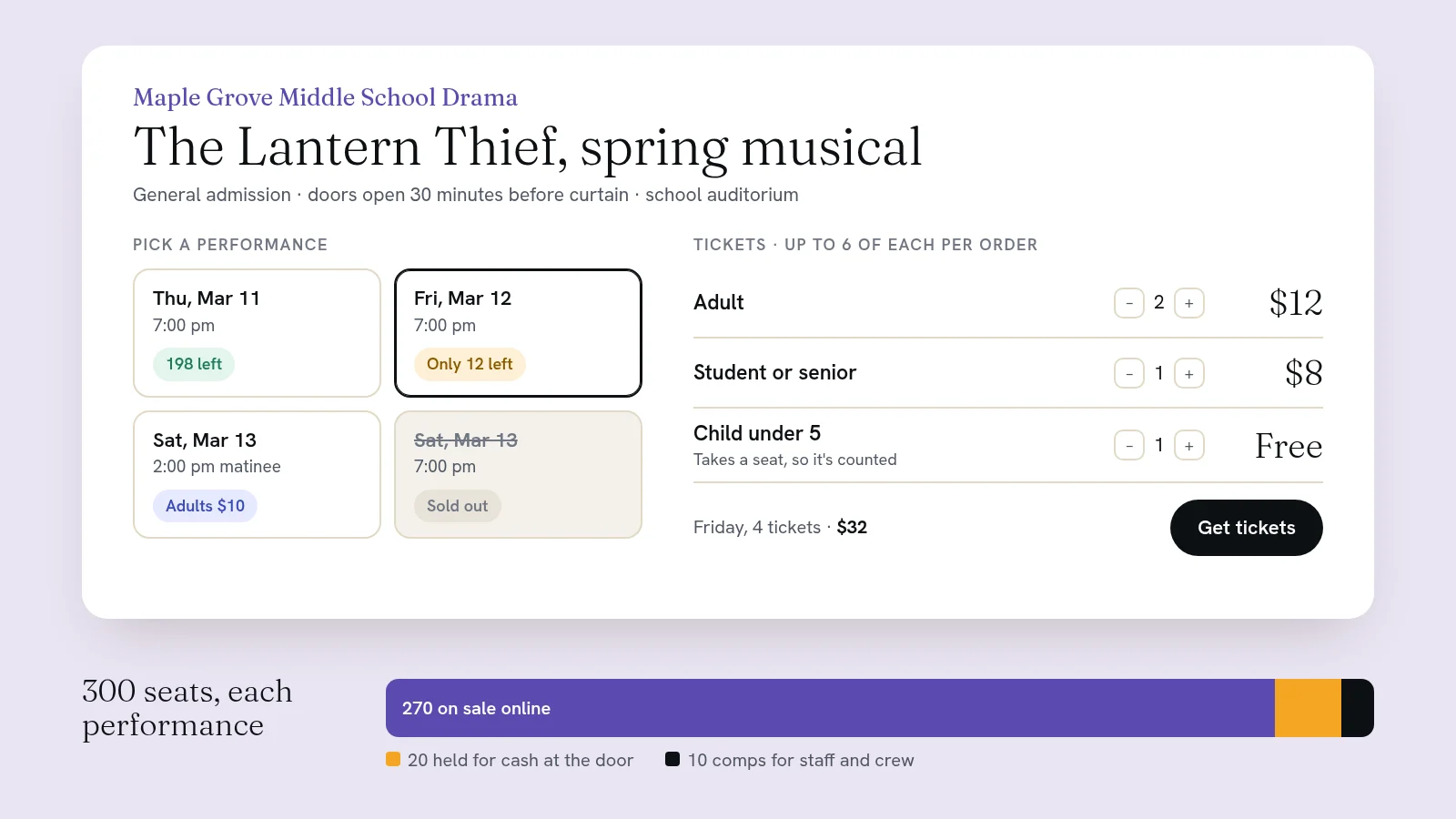
To sell tickets for a school play, put the show on one page with every performance listed as its own date, and sell general admission tickets by type: adult, student or senior, and young child. Cap each type per order so one family can't buy half a night, give cast families a few days' head start, and hold seats back for cash sales at the door. Enter comps for staff and crew by hand so the count stays right. If your audience expects to pick numbered seats from a chart, you'll need a specialist box office tool for that part; everything else works from your school's own website.
Count the seats first
Start with the number of seats the hall is allowed to hold, then take off what you need for other things before a single ticket goes online. For a 300-seat auditorium it might look like this:
| Seats | |
|---|---|
| Auditorium capacity | 300 |
| Comps for staff, crew and the director's guests | −10 |
| Held for cash sales at the door | −20 |
| On sale online, per performance | 270 |
Do this for each performance. A Thursday night, a Friday night, and a Saturday matinee and evening is a common run, and it gives families who can't do one night a choice of three others.
Ticket types and prices
Keep it to three ticket types unless you have a reason for more:
- Adult, $12.
- Student or senior, $8.
- Child under 5, free. Give them a ticket anyway if they'll take a seat, so they're counted.
A cheaper matinee ($10 for adults on Saturday afternoon, say) fills the performance that usually sells slowest. If you're staging a licensed show, check with your licensor before you change prices: Music Theatre International, for one, says its royalties are worked out from the ticket prices and seating you give when you apply (MTI's FAQ, checked November 2026).
What about numbered seats?
Most school plays sell general admission: doors open 30 minutes before curtain, and families sit where they like. It's fair, it's simple, and it keeps the box office small.
If you want some seats to cost more, sell them as a section rather than as numbered seats. Make "Front section, rows A to E" its own ticket type with its own price and number, say 60 seats at $15, and have an usher walk those families to the front. Each section has its own count, so it can't oversell.
What a section can't do is let a parent choose seat C14 from a chart. If your audience expects that, use a box office service built for reserved seating. Eventbrite, for example, lets you draw a seat map of your venue and have buyers pick their seats when they pay (Eventbrite for theaters, checked November 2026). Quick Elements doesn't have a seating chart, and we'd rather you knew that now than found out in March.
Set a limit per family
Popular shows sell out, and the first parent online shouldn't be able to take 40 tickets for the whole extended family. Set the most tickets per order for each type: six adults and six students or children is plenty for most families.
A limit per order is not a limit per family. A determined parent can place a second order. If seats are tight, look down the list of buyers by name before the show and call anyone with two big orders. In practice it rarely comes to that.
Give cast families a head start
The families of the cast are your most certain buyers, and they'll be upset if a Facebook post sells out the Friday before they've heard about it. Give them a few days first. There are two honest ways to do it on your own site:
- A head start by email. Put the show on sale and send the link to cast families on Monday. Announce it to everyone else on Thursday. The page is public from the start, so this is a lead of three days, not a locked door, and for most schools that's enough.
- Book their seats for them. Collect cast families' requests on a simple form, take payment through the school office, and enter each family's tickets by hand before you announce the show. Their seats are taken before anyone else can buy.
Quick Elements has no setting that hides a show from the public until a date and then opens it, so we won't pretend the first option is a lock.
Cash at the door
Plenty of grandparents will want to pay cash on the night. That's what the 20 held seats are for.
- Bring a cash box with a float in small bills, and two volunteers: one for money, one for the list.
- On the night, raise the performance's seat count by the 20 you held back, and enter each door sale by hand as cash. Door sales count against the same seats as the online tickets, so you can't sell a seat twice.
- If there's no signal in the hall, keep a paper tally and stop at 20. Enter the sales afterwards so your totals match the cash.
The welcome table works from a list of buyers for that performance, sorted by name. Our guide to checking guests in at the door covers how to run it without a queue.
Set it up on your school's website
On a Quick Elements site, the show is one page with every performance on it, and families pick a date, choose their tickets and pay.
- List the performances as specific dates, each with its own curtain time.
- Add the ticket types with their prices and a most-per-order on each.
- Have adult, student and child tickets sell from one shared count of seats per performance, so the hall can't be oversold whatever mix people buy. Set it to 280, enter the 10 comps by hand as free bookings, and 270 are left for sale online.
- Change the price for one date, for a cheaper matinee.
- Enter comps and door sales by hand, as free or as cash, card or check.
- Write the confirmation email yourself (doors open at 6:30, park behind the gym), and send a reminder the day before.
The page shows when a performance is nearly full and stops selling when it's sold out. Card sales cost 3.99% + 30¢ each, card processing included, and nothing is added to the parent's price. If you're still deciding what to charge, our guide to pricing event tickets has the sums.
Get the show on sale
Count your seats, settle the three prices, and write the date you'll email cast families. That's the whole plan. When you're ready to sell from your own site, see how it works for theatre groups and school shows, or pick a plan and have the first performance on sale this week.