
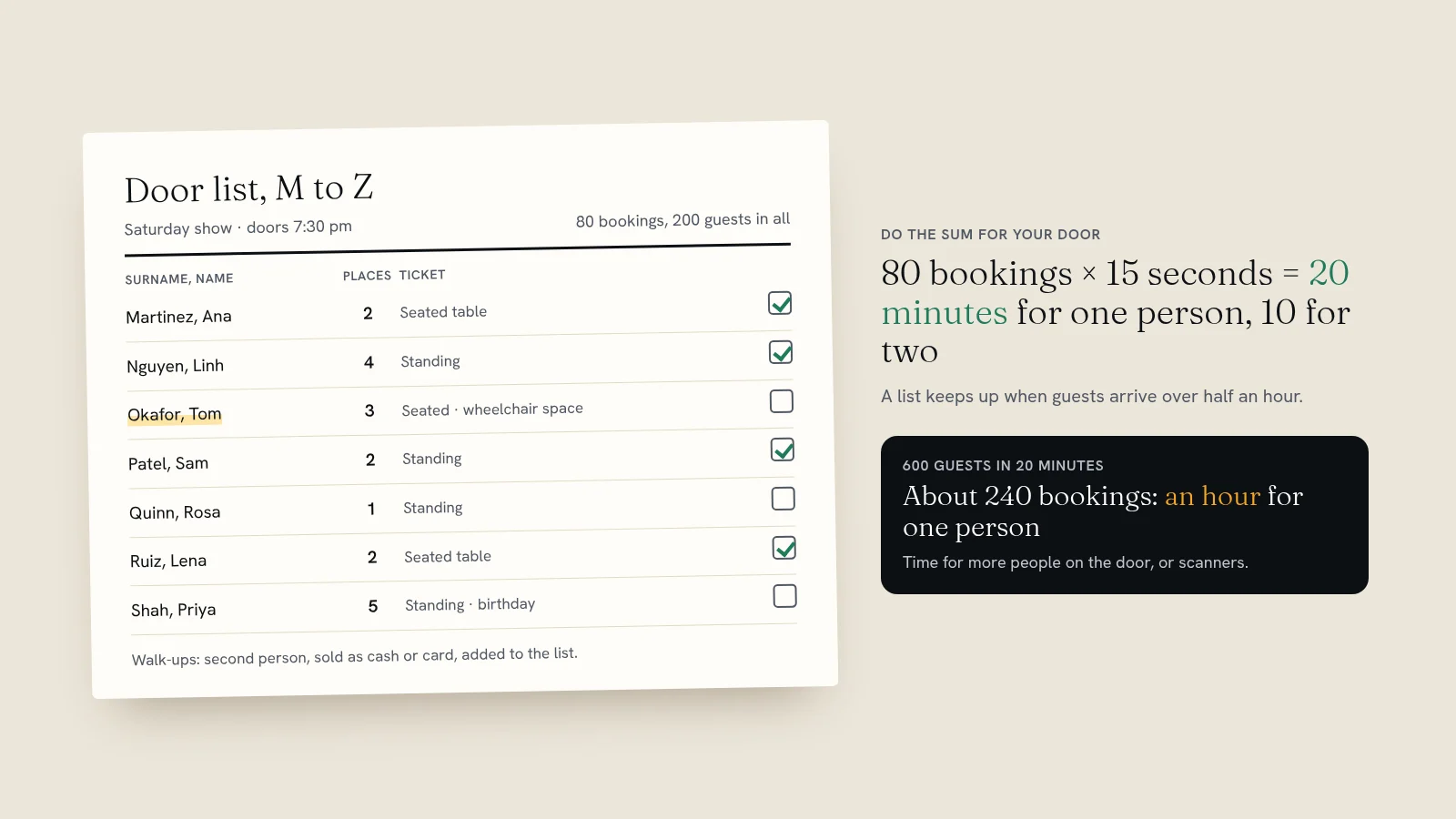
The simplest way to check guests in at an event is a guest list sorted by surname, on paper or on a phone: ask what name the booking is under, check how many places they booked, tick them off, and wave them in. For most small and mid-sized events that's quick enough. Scanning QR codes earns its keep when hundreds of people arrive in a short window, when several entrances need one shared list, when tickets might be copied or resold, or when you need a live count of who's inside. Whichever you choose, get the door ready before it opens: the list, a second person for walk-ups, and a rule for anyone who isn't on it.
A name list or QR codes?
| Name list | QR code scanning | |
|---|---|---|
| What you need | A printed list or a phone, and a pen | A ticketing app with scanning, and charged phones |
| Group bookings | One tick for the whole group | Often one scan per ticket |
| Several entrances | Split the list, such as A to L and M to Z | Every door works from the same live list |
| Copied or resold tickets | Hard to spot | A code can't be used twice |
| Live headcount | Count ticks, or use a hand counter | Shown in the app |
| Signal or battery trouble | A paper list keeps working | Depends on the app working offline |
When scanning earns its keep
Do the sum for your own door. Say it takes about 15 seconds to find a booking on the list, tick it and send the group in. A show with 200 guests who booked in groups averaging two and a half people is 80 bookings. That's 20 minutes of checking for one person, or 10 minutes with two people working from halves of the list. If most guests arrive in the half hour before the start, two people with lists will keep up.
Now take 600 guests arriving in the 20 minutes before a headliner. That's around 240 bookings and an hour of name-checking for one person. You'd need three or four people on lists, or scanners. That's the point where scanning starts to pay for itself.
Scanning also earns its place, whatever the size, when:
- Tickets are likely to be resold or screenshotted and shared, as with popular concerts.
- You have several entrances, and someone could try each one.
- You must report how many people are inside at any moment.
- Guests mostly buy single tickets, so there are no groups to tick in one go.
For a 40-person workshop, a supper club or a community theater's Saturday show, a list is simpler and nobody's phone has to work for the door to open.
How to set up a door list
- Sort it by surname, not by when people booked. Nobody at the door remembers when they paid.
- Show the number of places next to each name, and the ticket type if it matters: VIP, a drink included, a T-shirt to collect.
- Note anything the door needs to know: wheelchair access, a guest arriving late, a name on a gift booking.
- Print two copies, or split it A to L and M to Z for two people.
- Add the total expected at the top, so you know when everyone's in.
- Bring a pen, a highlighter and a hand counter, and wristbands or a stamp if people can come and go.
Ask guests in the confirmation and reminder emails to have their confirmation handy and to tell the door the name the booking was made under. That one line saves a lot of confusion at the door.
At the door
- Ask: "What name is the booking under?" and check the number of places before ticking.
- Hand over anything that comes with the ticket, such as a drink voucher or wristband, as you tick.
- Check ID at the door if the event is age-restricted, not inside.
- Send walk-ups to a second person, so they don't hold up guests who've booked. Sell them a ticket, take payment, and add them to the list so your count stays right.
- Once the event starts, count the ticks. Your no-shows are worth knowing for next time.
When someone isn't on the list
- The booking is under another name: a partner, a parent, a friend who bought for the group. Ask whose card paid.
- They booked a different date: check their confirmation email. If there's room, let them in and note it; if not, offer to move them to the date they booked.
- They paid but have no email: ask them to check their spam folder, then search your list for their email address.
- The event is full and they have no booking: stay polite, stay firm, and offer the next date.
Checking guests in on Quick Elements
Quick Elements doesn't make QR code tickets or have a scanning app. Guests get a confirmation email, and you get a door list.
Each event has a list of who's booked, which you can filter to one date and time. It shows each booking's order number, the customer's name and email, the ticket type and how many places they booked. It shows 20 bookings a page, and there's no tick box, download or print button yet. For a small event, keep it open on a phone or tablet and use your browser's find-on-page search to jump to a name. For a bigger night, ask your site's assistant for everyone booked on that date, sorted by surname. It can read up to 100 bookings at a time, and you can print the answer or copy it into a sheet with a column for ticks.
Walk-ups are entered by hand from your sales screen as cash, card or check, and they come out of the same capacity as online sales, so you can't sell a place twice. If someone can't come and asks to switch nights, you can move their booking to another date from the same list.
If you regularly have several hundred people arriving at once through more than one entrance, a ticketing service with a scanning app is worth its fee for those nights, and our guide to Eventbrite's fees shows what that costs. For everything smaller, see how venues sell tickets on Quick Elements, or read selling tickets on your own website.
Before your next event, print the list the afternoon before, sorted by surname, and add one line to your reminder email: "Tell the door the name your booking is under."