
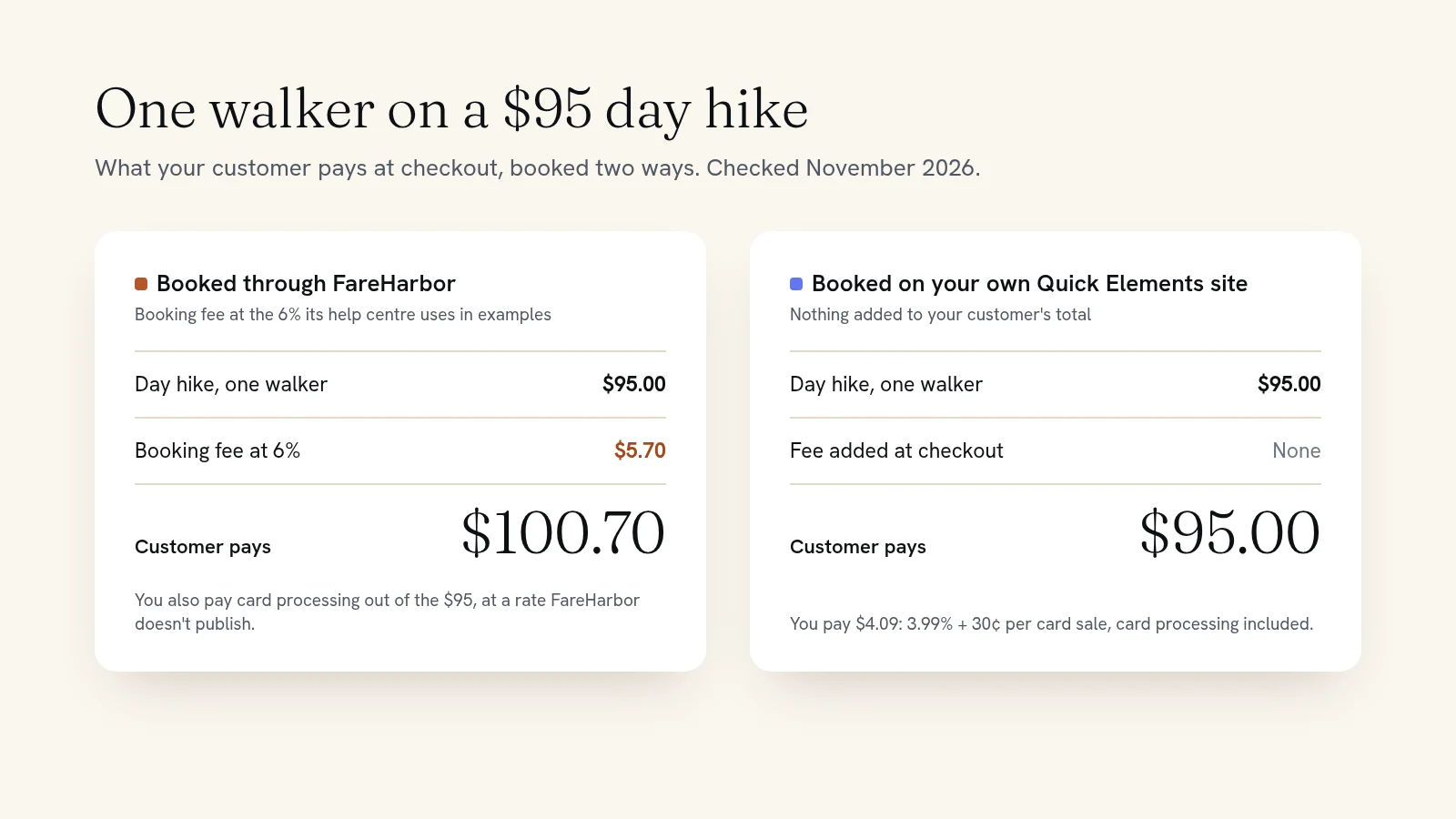
FareHarbor doesn't publish a price list. What it does say is that there's no monthly fee and no setup fee, and that it charges a booking fee your customer pays at checkout. Its help center works its examples at 6% of the price. On top of that, you pay FareHarbor a card processing fee at a rate it agrees with you rather than publishes, and a 2% fee on eligible bookings that come in from connected travel sites. So a $95 day hike costs your customer about $100.70, and you pay the card processing out of the $95.
Below is how each FareHarbor fee works, what 6% adds to common tour prices, who FareHarbor genuinely suits, and what changes when people book on your own website instead.
How much does FareHarbor charge? Fee by fee
- Monthly or setup fee: none. FareHarbor's own pages say there are no monthly software fees and no setup fees, and that costs scale with confirmed bookings.
- Booking fee: paid by your customer. It's added at checkout as a separate charge. FareHarbor doesn't publish the rate, but its help center's worked examples use 6% of the price, including on priced extras such as a park fee or fuel surcharge.
- Card processing: paid by you. FareHarbor's terms for operators charge you a processing fee on the payments it handles. The rate isn't published.
- Bookings from travel sites: 2%, paid by you. FareHarbor's help center says a 2% fee applies to eligible bookings made through third-party sites connected to it, and its fee terms for those connections say you pay it. That's on top of whatever commission the travel site itself takes.
- Refunds: if you give a partial refund, FareHarbor's terms say it keeps the full booking fee.
- A commission option: the same terms let an operator ask FareHarbor to charge them a percentage instead, with no booking fee for the customer. That rate is agreed privately.
Sources: FareHarbor's guide to who pays the booking fee, its help article on total price display, its terms for operators and fee terms for connected travel sites, and its boat tour page, checked November 2026. Because FareHarbor agrees rates account by account, ask for yours in writing before you sign.
What a 6% booking fee adds to a tour price
| Booking | Your price | Booking fee at 6% | Your customer pays |
|---|---|---|---|
| Two-hour kayak rental | $45 | $2.70 | $47.70 |
| Guided day hike, one walker | $95 | $5.70 | $100.70 |
| Sunset boat tour, one guest | $150 | $9.00 | $159.00 |
| Day hike, family of four | $380 | $22.80 | $402.80 |
Your customer pays the fee, so it doesn't come out of your payout. It still costs you something. A $95 hike that checks out at $100.70 is a $100 hike as far as the customer is concerned, and it's compared against other $100 trips. Where price display laws apply, including some US states, FareHarbor's help center says a setting that shows the fee inside the price should be on by default, so the customer sees $100.70 from the first screen.
Who FareHarbor suits
FareHarbor is built for tour and activity operators and does several things a general website builder doesn't:
- Travel sites and resellers. It connects to online travel agencies and lets other operators resell your trips. If those bring in a big share of your bookings, that matters more than any fee on this page.
- Guides and crew. You can assign crew to each departure.
- No fixed monthly cost. In a quiet month you pay little, which suits a seasonal business with a short summer.
The trade-off is that your customer pays more than your price, and you don't control the rate.
FareHarbor vs booking on your own website
On a Quick Elements site nothing is added to your customer's total. They pay $95, and you pay 3.99% + 30¢ per card sale, which is $4.09 on that hike, with card processing included. On FareHarbor you'd still pay card processing out of the $95 as well, at whatever rate you've agreed.
Your own site does cost a plan, from $29 a month on a yearly plan, and FareHarbor doesn't. That plan is the whole website: trip pages in a design made for guides, booking, a shop for gear and merchandise, a newsletter, a business email account and a domain name. What your own site doesn't do is connect to travel agencies or schedule crew. If you rely on those, keep FareHarbor.
Booking on your own site works the way a day of departures needs it to:
- Departures on the days you run, with their own number of places, set up once.
- A price for each kind of guest, such as adult, child or private group.
- Extras like gear hire or lunch that can only be added to a booked place.
- Higher prices or fewer places on a holiday weekend, without touching the other dates.
- Trips sharing a boat or a van, so two trips can never sell the same seat.
- On a weather day, move each booking to another date or cancel it, and the places go back on sale.
Our FareHarbor alternative page sets the two side by side, and the tour operator design and boat tour design show finished trip pages you can click through. Starting out? Read how to start a walking tour business.
Ask for your rate, then do the sum
Ask FareHarbor for three numbers in writing: the booking fee your customers will pay, your card processing rate, and the fee on travel site bookings. Then take last season's direct bookings and work out what your customers paid in booking fees. If most of your guests book direct, that's the money a site of your own would leave in their pockets, or in yours if you priced it in. Compare our plans against that figure.