
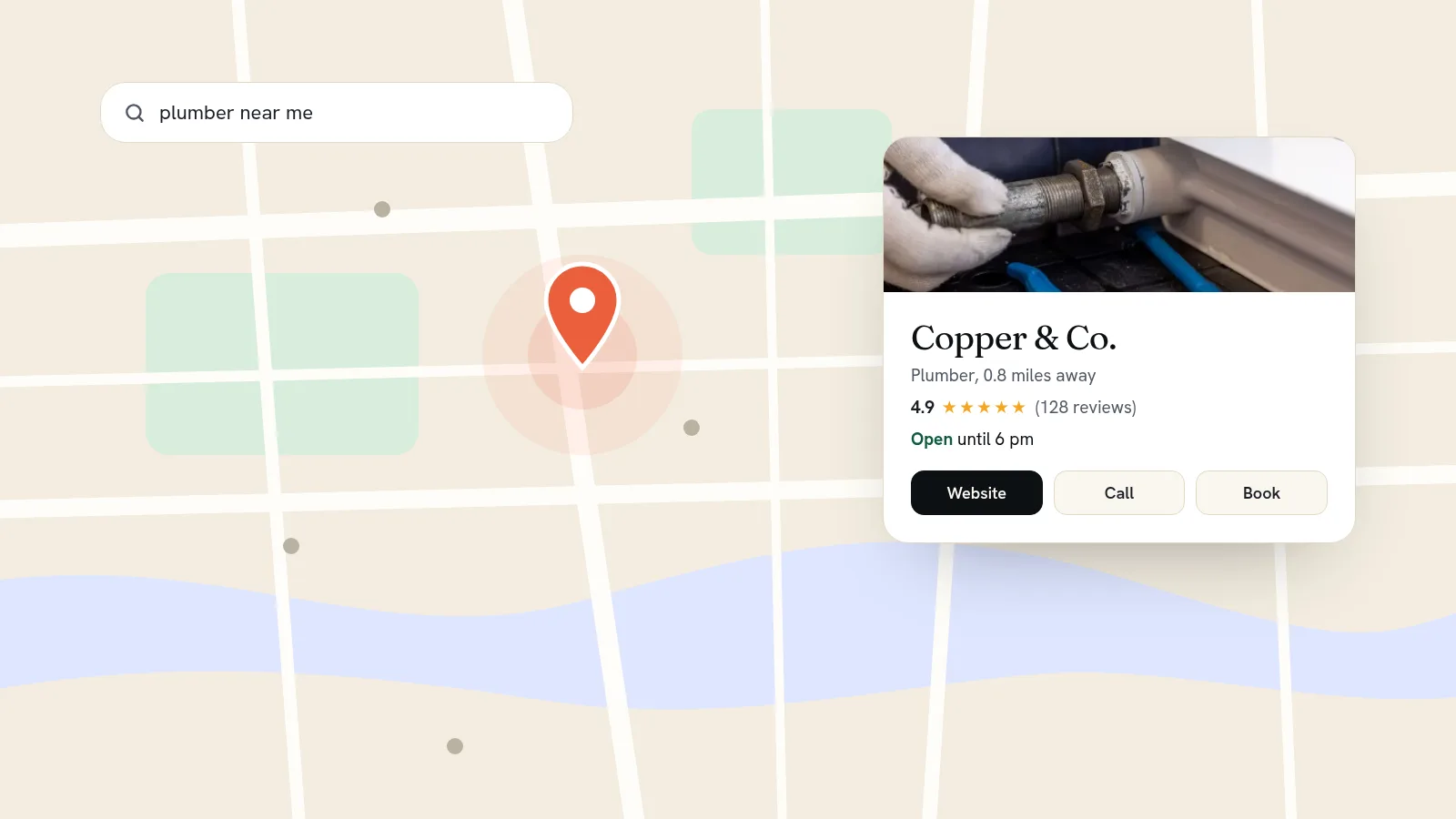
To get your business on Google Maps, create a free Google Business Profile at business.google.com/add, enter your business name, category, address or service area, phone number and website, then verify that you run the business. Google offers verification by phone, text, email or video depending on your business. Once verified, your business can appear on Maps and in the local results at the top of Google Search. Google says its review takes up to five business days.
Getting listed is the easy part. Showing up when someone nearby searches for what you do takes a complete profile, steady reviews and a website that backs it up. This guide covers all three.
First, check whether you're already listed
Google sometimes creates a listing from public information before the owner ever touches it. Search for your business name and town on Google Maps. If a listing appears, open it and look for "Claim this business", then "Manage now". On the Maps phone app, open the listing, tap "About", then "Claim this business".
If someone else, such as a former employee or the agency that built your old site, already manages the profile, follow Google's claim steps rather than starting again. Don't create a second listing; duplicates compete with each other.
Step 1: Create your Business Profile
Go to business.google.com/add, choose "Add your business to Google" and follow the steps. Google asks for:
- Business name. Use your real-world name exactly as it appears on your sign and your website. Google's guidelines don't allow extras such as taglines, service keywords or locations in the name. "Copper & Co." is fine; "Copper & Co. Best Emergency Plumber Leeds" can get the listing suspended.
- Category. Choose the most specific primary category that describes your whole business, like "Hair salon" rather than "Beauty". Google counts your category among the details that help match you to the right searches, so choose it carefully.
- Location. Whether customers visit you, you visit them, or both. More on this below.
- Phone number and website. Use a number that rings at your business and the address of your own website.
It costs nothing. Google's help pages are clear that adding and claiming a profile is free.
Step 2: Storefront, service area, or both
This choice decides how you appear on the map.
- Customers come to you (a salon, café or shop): enter your full address. It shows on the map with a pin.
- You go to customers (a plumber, cleaner or mobile groomer): Google's guidelines say to hide your address and set a service area instead. The area shouldn't stretch farther than about two hours' drive from your base.
- Both: if you have a staffed premises customers visit and you also travel, you can show the address and set a service area.
Two things will get you in trouble: a P.O. box or a rented mailing address where you don't actually work. Google doesn't accept either. A co-working space only counts if you have signage there and staff who meet customers during your hours.
Step 3: Verify your business
Verification proves you run the business. Google decides which methods to offer you, based on your type of business, your region and what's publicly known about you. You can't pick. The options include:
- Phone or text: Google sends a code. An automated phone system can't receive it, so use a number a person answers.
- Email: a code sent to an address you can access during verification.
- Video recording: you record a short video showing your location and proof that you manage the business. Google recommends this method when you're eligible.
- Live video call: a Google support person guides you through it, during your business hours.
- Postcard: a code mailed to your address. Most arrive within 14 days and the code expires after 30.
Some businesses need more than one method. Once you've submitted, Google's review usually takes up to five business days. Google also says verification can be instant if you've already verified your website in Google Search Console, which is one more reason to set that up.
Step 4: Fill in everything
Google's own advice is that businesses with complete and accurate information are more likely to show up in local results. While you wait for verification, fill in:
- Hours, including special hours for holidays. Wrong hours lead to angry reviews.
- Attributes such as parking, wheelchair access or Wi-Fi.
- Services or products, with short descriptions and prices if you can.
- A description of what you do and who for. Google doesn't allow links in it.
- Photos and videos of your premises, your work and your team. Add new ones every month or two.
How Google decides who shows up first
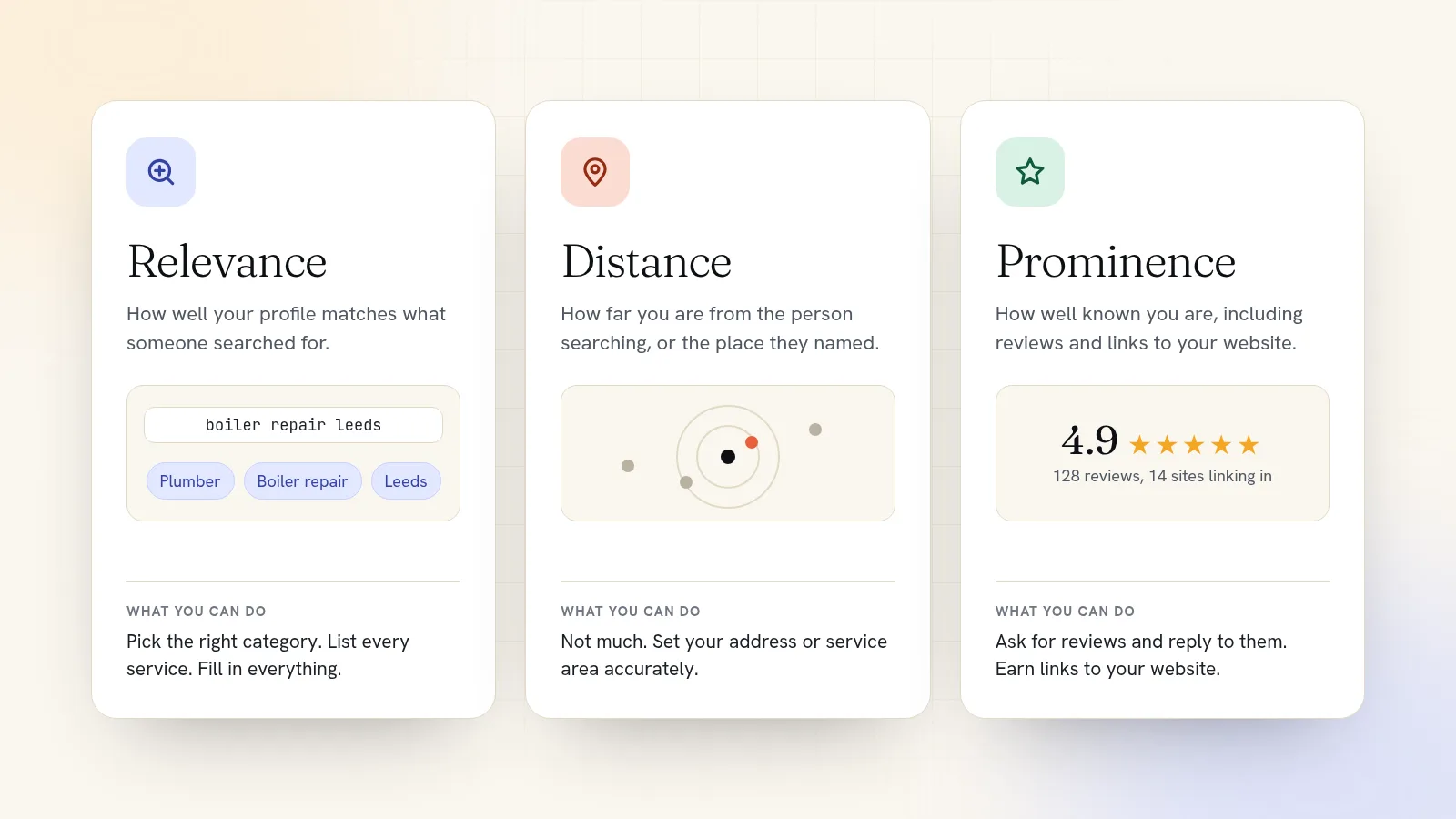
Google says local results are mainly based on three things:
- Relevance: how well your profile matches what someone searched for. A complete profile with the right category and services helps here.
- Distance: how far you are from the person searching, or from the place they named. You can't change this one, which is why someone across town sometimes outranks you.
- Prominence: how well known your business is. Google counts reviews and ratings, and how many websites link to your business.
Google is also blunt that there's no way to request or pay for a better local ranking. Ads can buy a spot marked "Sponsored", but the regular map results are earned.
Why your website matters for your Maps listing
A Business Profile without a good website is a shop window with the door locked. The profile gets you seen; the website is where people decide. It also feeds two of the three ranking factors:
- Relevance. A page for each service you offer, with the town in its title ("Boiler repair in Leeds"), gives Google more evidence of what you do and where.
- Prominence. Other sites link to websites, not to profiles. A local news mention, a supplier's list of stockists or a club you sponsor can all link to your site.
- Consistency. Your name, address and phone number should read the same on your website, your profile and anywhere else you're listed. Mismatched details make it harder for Google to be sure they're all the same business.
- Booking. When your profile's website button leads to a page where people can book or buy, a map search ends in a customer instead of a phone call you might miss.
Getting more reviews
Reviews feed prominence and they're the first thing people read. Google allows, and encourages, asking customers for reviews. It gives you a link and a QR code to share. What it prohibits is incentives: offering a discount or freebie in exchange for a review counts as fake content.
The best time to ask is right after a good experience. A short follow-up email the day after the appointment, with your review link in it, works far better than a sign by the till. Reply to every review, good and bad, briefly and politely. People read your replies as closely as the reviews.
Why your business isn't showing up
- It isn't verified yet, or verification is still under review.
- You're searching from the wrong place. Results depend on where the searcher is. Search from your own street, or name the town in the search.
- The category is too broad or doesn't match what people search for.
- The listing was suspended, often for extra words in the business name or an address that breaks the guidelines.
- There's a duplicate listing splitting your reviews and clicks. Ask Google to merge or remove it.
Give your listing a website that takes the booking
Quick Elements gives your Google listing somewhere worth sending people. Start from a template made for your trade, and you get service pages, a contact page with your hours, and online booking from day one. Every page has its own search title and description, so each service can be written for the search it should win. The search tools track where you rank for the phrases customers type, like "dog groomer near me", and how that changes over time.
Booking does more than take the appointment. You can set an automatic follow-up email after each booking ends, which is the right moment to ask for that Google review. And if Google asks you to verify your website in Search Console, you paste its code once in your site's settings, where tracking codes go, and it loads on every page.
Still deciding what the site needs? Our small business website checklist covers the 20 essentials. Then see how it works for service businesses that take bookings, or choose a plan and have your website live before your verification code arrives.