
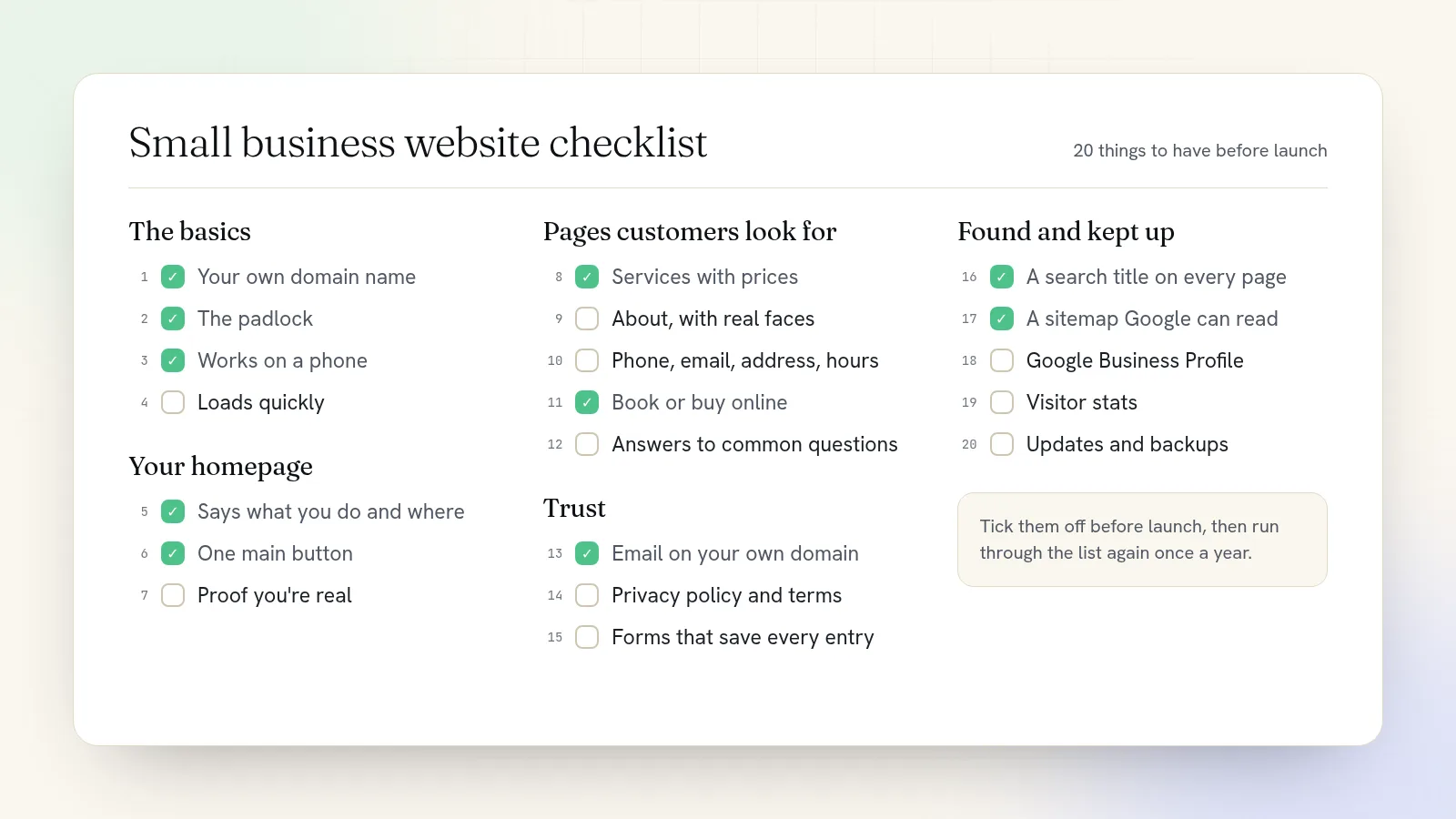
Every small business website needs a few things to do its job: your own domain, a secure and phone-friendly site, a homepage that says what you do and where, your services with prices, a clear way to contact you or book, and the basics that help Google find you. The checklist below has 20 items in five groups. Tick them off before launch, then come back to it once a year.
The basics
1. Your own domain name
A web address like yourbusiness.com, not yourbusiness.somebuilder.com. It's easier to remember, it looks permanent, and it's the base for your email. Pick a short .com if you can. Our guide on choosing a domain name covers what to do when your first pick is taken.
2. The padlock
Browsers show a padlock when a site has a security certificate, and a "Not secure" warning when it doesn't. Visitors notice the warning, and checkout pages shouldn't run without the padlock. Any decent website plan includes the certificate and renews it for you.
3. A layout that works on a phone
Open your site on your phone and check three things: you can read the text without zooming, buttons are big enough for a thumb, and your phone number calls when tapped. If you only test on a laptop, you're testing the site most of your visitors won't see.
4. Pages that load quickly
The usual culprit is huge photos straight off a camera. Shrink images before uploading, or use a site that converts them to lighter formats for you. Then load your homepage on your phone using mobile data, not Wi-Fi. If you're waiting, so are your customers.
Your homepage
5. A headline that says what you do and where
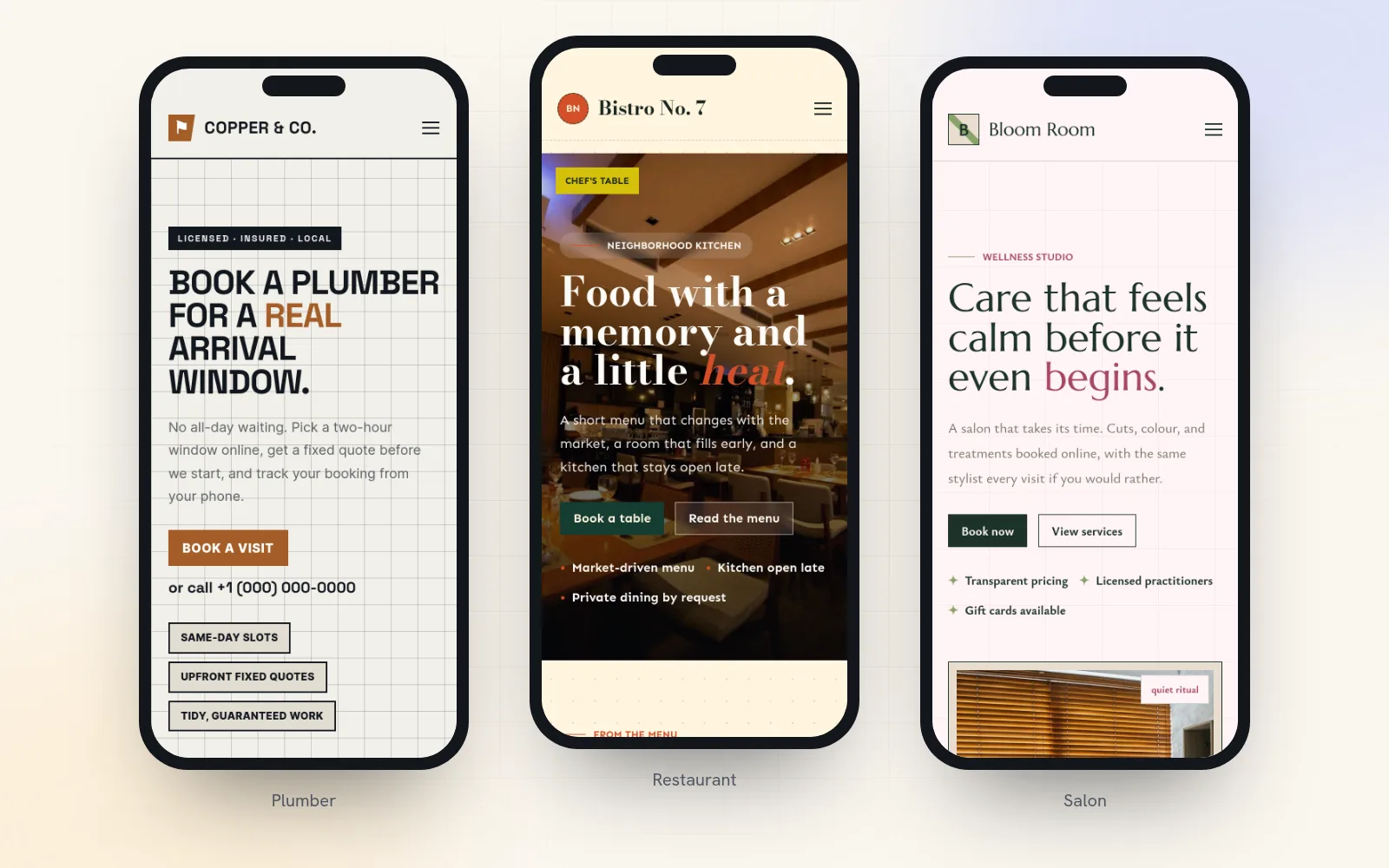
"Welcome to Harbor & Pine" tells a visitor nothing. "Family dentist in Portland, with evening appointments" tells them they're in the right place. Put the service, the place, and one reason to choose you in the first line people see. Our guide to writing a homepage that wins customers goes deeper.
6. One main button
Decide the one thing you most want visitors to do (book, call, order, get a quote) and make that the button at the top of the page. Repeat it further down. A homepage with six equally loud buttons makes people choose, and many choose to leave.
7. Proof you're real
Real reviews with names, photos of your actual work, your team, your premises. Stock photos of smiling strangers don't count. Put the proof near the top, right under your promise.
The pages customers look for
8. Services or products, with prices
List what you sell with enough detail to choose: what's included, how long it takes, and what it costs. If prices vary, give a "from" price. A page with no prices at all sends people to a competitor who has them.
9. An about page with real faces
Who runs the business, how long you've done it, and why. A photo of the owner or the team does more for trust than a paragraph of values.
10. Contact details people can act on
Phone, email, address with a map if customers visit, and opening hours, including holiday hours. Put the phone number and hours in the footer of every page, not just on the contact page.
11. A way to book or buy online
If customers book appointments, classes or jobs, let them pick a time on your site. If you sell products, let them pay. Every "call us to book" is a customer who has to wait until you open, and some won't.
12. Answers to common questions
Parking, cancellations, what to bring, how long delivery takes, whether you cover their town. Write down the questions you answer on the phone every week and put the answers on the site.
Trust
13. Email on your own domain
you@yourbusiness.com instead of a free webmail address. It matches your website and shows the message really came from you. Here's how to get a professional email address.
14. A privacy policy and terms
If you collect names and emails through forms, bookings or a newsletter, you need a privacy policy that says what you collect and why. If you sell online, add your terms, refund policy and delivery details. Link them in the footer.
15. A contact form that doesn't lose messages
Forms fail quietly: the notification email goes to spam or an old inbox and nobody notices for months. Use a form that saves every entry somewhere you can check, sends you a notification, and blocks spam. Then test it yourself once a month.
Getting found and staying up
16. A search title and description on every page
These are the blue link and the two lines of text people see in Google. Write each one for the search it should win: "Emergency plumber in Leeds, same-day visits" beats "Home". Our guide on improving your Google ranking covers the rest.
17. A sitemap Google can read
A sitemap is a list of your pages that search engines read. Most website builders make one for you. Submit it once in Google Search Console, which is free, so Google knows every page exists.
18. A Google Business Profile that links to the site
If customers find you locally, your Google Business Profile is how you show up on Google Maps. Make sure it links to your website and that your name, address and phone number match on both. Here's how to get your business on Google Maps.
19. Visitor stats
You can't improve what you don't measure. At minimum, know how many people visit, which pages they read, and where they came from. Check once a month: which page gets the most visits, and does it have a clear button on it?
20. Updates, backups and a helpful "page not found" page
Someone has to keep the site's software updated and patched, and you need a way to bring back a page you broke. And when a visitor follows an old link, they should land on a friendly page with your menu on it, not a blank error.
How many of these come built in on Quick Elements
You can tick most of this list off in one go. On a Quick Elements plan, these come with the site rather than as jobs on your list:
- Domain and email (1, 13): a free .com or .org with your plan, and business email on it.
- Padlock (2): the security certificate is requested and renewed for you.
- Phones and speed (3, 4): every template is laid out for phones, and the media optimizer converts your photos and videos to lighter formats, keeping the originals.
- Homepage, pages and booking (5 to 12): each template comes with a homepage, service and contact pages written for its trade, plus online booking and payments with confirmation and reminder emails.
- Forms (15): entries are saved on your site and listed in one place, with built-in spam protection and as many notification emails as you need.
- Search (16, 17): every page has its own search title and description, with a warning when one is too long or too short, and a sitemap you can edit.
- Stats (19): built-in visitor stats that use no cookies, so you don't need a cookie banner for them.
- Upkeep (20): security fixes install themselves, saved pages keep a history you can go back to, and every site comes with a "page not found" page that carries your header and footer.
That leaves the parts only you can do: your words, your photos, your prices and your Google listing. Choose a plan, pick a design made for your trade, and spend your evenings on those instead of on setup.