To sell gift cards online, list them on your website as something people can buy, send each buyer a code, and let the person who receives it use that code when they book. You can run this through a gift card service that tracks balances for you, or through your own website's shop. For a service business, a gift card for a specific experience, such as one pasta class or a 60-minute massage, usually sells better than a cash amount and is far simpler to manage.
Experience gift cards or money gift cards
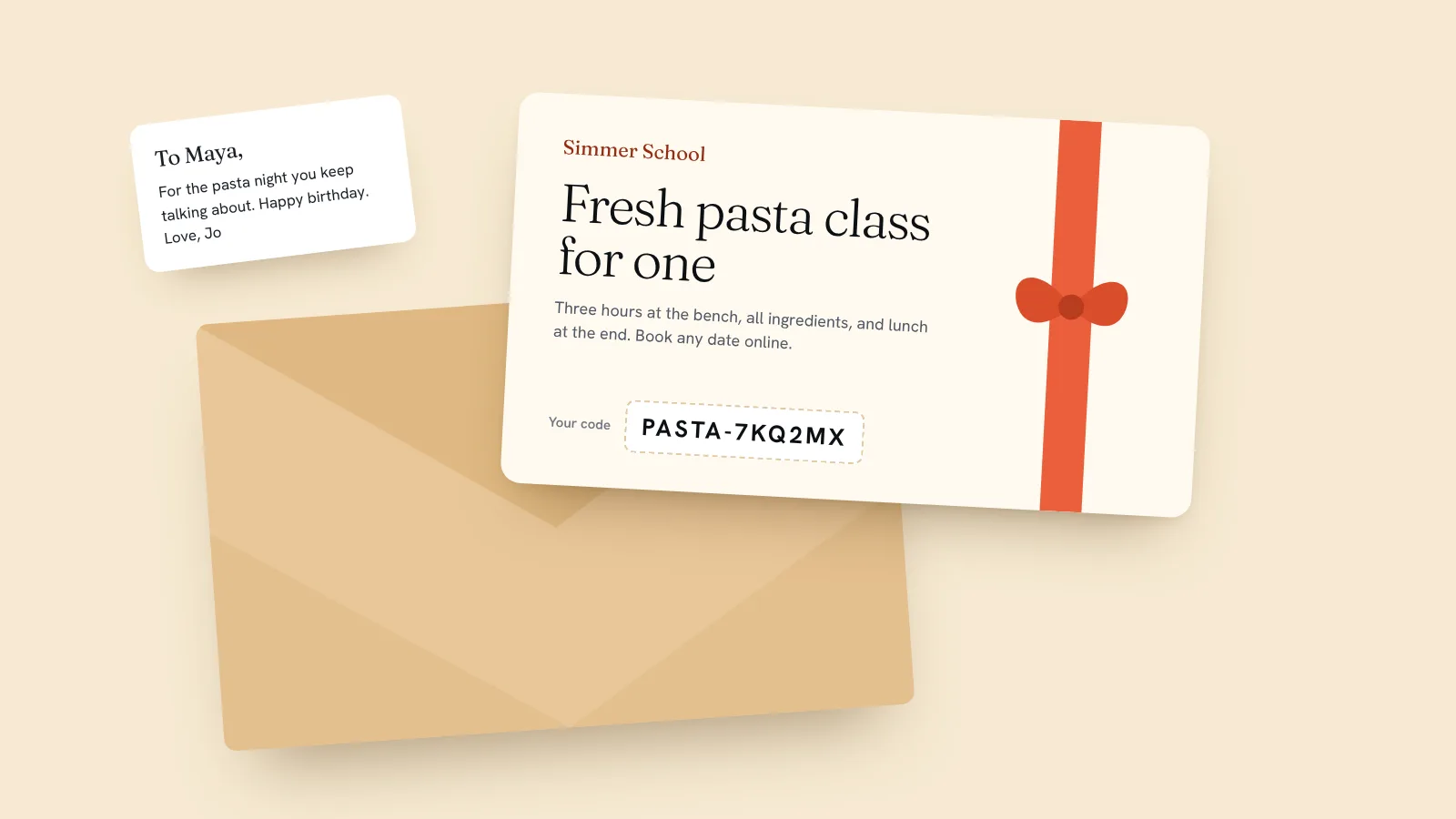
A money gift card for $50 or $100 is flexible, but it feels like cash in an envelope. An experience gift card, "A fresh pasta class for one", feels like a present. It tells the recipient exactly what to book, and it's used in a single visit, so there's no balance to keep track of afterwards.
Sell experiences for the things people give: a first class, a signature treatment, a session for two. Then offer one or two money amounts for buyers who aren't sure what to choose. The cooking school design we ship sells an $85 class gift card that covers one seat at any class, and the escape room design sells a voucher that covers a room for four players.
Three ways to sell gift cards online
What each option costs you on a $100 gift card:
| Option | Fees on a $100 card | Tracks balances for you |
|---|---|---|
| Square eGift Cards | $5.70: a 2.5% load fee plus 2.9% + 30¢ card processing | Yes |
| Gift Up! | $3.49 (3.49% per card, $0.50 minimum), plus your own card processor's fees | Yes |
| Your own shop on Quick Elements | $4.29: 3.99% + 30¢ with card processing included, plus your plan | No. Each code is used once. |
A gift card service is the better fit if you sell lots of cash-value cards that people spend across several visits. If you mostly sell experiences, your own shop does the job, the buyer never leaves your site, and the money arrives with the rest of your sales.
Decide the rules before you sell
- What it covers. A named service, any class, or an amount.
- How long it lasts. In the US, federal law says a gift card can't expire until at least five years after it was activated, and some states add more protection (see the FDIC's summary). Elsewhere, check your local rules before printing a date.
- Refunds. We'd suggest no refunds, but let the buyer change who it's for.
- What it can be spent on. Bookings only, or products from your shop too.
- How it arrives. Emailed to the buyer to pass on, or printed and handed over at the desk.
How to sell gift cards on Quick Elements
On Quick Elements you sell gift cards in your site's shop and redeem them with discount codes. The whole setup:
- Add a gift card to your shop. Give it a name that says what it covers, a picture of the experience, and a price, and mark it as not needing delivery. For several amounts, add them as options on the one item.
- Say what it covers and how to use it in the description: "Covers one place on any class. Book online and enter your code at checkout."
- When an order comes in, make the code. In Shop > Coupons, create a code that takes 100% off the class or treatment it covers, or a set amount off for a money card. Let it be used once, and give it the end date you promised.
- Email it. Send the code to the buyer from your business email address, with a line they can forward as it is.
- The recipient books. They pick a time on your booking page and enter the code at checkout.
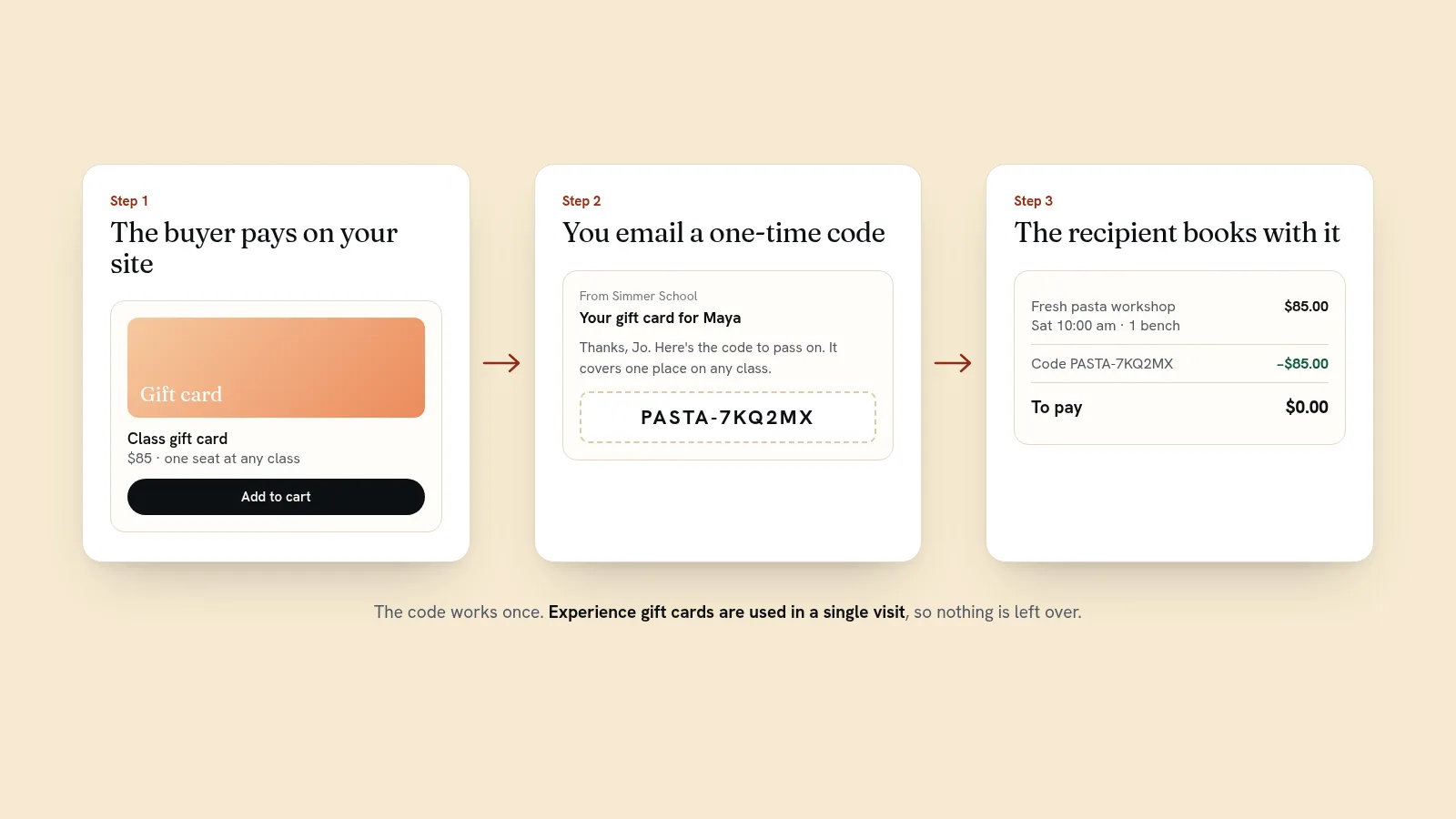
One thing to know: each code is spent in one go. If a $100 code is used on a $70 booking, the other $30 doesn't carry over. That's another reason experience cards suit this setup. If a balance matters, make a new code for what's left, or use one of the gift card services above. The code's use count in your shop shows whether it has been redeemed, so you're never guessing.
What to put on the gift card
Whether it's an email or a printed card, the recipient should be able to book from it without asking you anything. Include:
- Your business name and web address.
- What it covers, in words: "One place on any class", not just "$85".
- The code, in large type, with letters that can't be mistaken for numbers.
- How to use it: "Book online and enter this code at checkout."
- The end date, if there is one, and any rules, such as weekdays only.
- Room for "To" and "From", and a line for a message.
For cards sold at the desk, print a few blank designs and write the code on by hand once you've made it in your shop. Keep a simple list of which code went on which card.
Keep your books straight
Money from a gift card is paid now for something you'll provide later, and many businesses don't count it as earned until the card is used. Keep a list of codes sold and codes redeemed, and ask your accountant how they'd like gift card sales recorded where you are. Your shop's order history and each code's use count give you both lists without extra work.
Get gift cards in front of buyers
- Add "Gift cards" to your site's menu from November through February, and again before Valentine's Day and Mother's Day.
- Give gift cards their own page, with a photo of the experience rather than a picture of a plastic card.
- Mention them in your booking confirmation: one line suggesting it as a present for someone.
- Email your list in early December and again the week before Christmas, when last-minute buyers want something that arrives instantly.
- Sell them at the desk at the same price as online.
Every Quick Elements plan includes newsletters, so the December email goes out from the same place you manage the gift cards.
Turn recipients into regulars
A gift card brings you someone who might never have found you on their own. Treat their visit as an introduction: a warm welcome, a word about your regular classes or treatments, and an easy way to come back. On Quick Elements the ready-made "Book your next class" automation emails people the day after their visit to invite them back, and stops if they book again first.
Gift cards also fill quiet dates. A recipient can book any open time, so steer them toward weekday mornings with a line in the email. If you run hands-on sessions, our guide to selling workshops online covers the rest of the year.
Sell your first gift card this week
The cooking school design already has a class gift card in its shop, next to classes people can book and pay for, and the salon design has a treatment gift card ready to sell. Pick the closest to your business, change the name and price, and you're selling. Card payments are 3.99% + 30¢ per sale with processing included, on every plan. See plans.